BSP Exchange Rate Sync
The BSP Sync program automatically fetches daily reference exchange rates from Bangko Sentral ng Pilipinas and writes them to Odoo's currency rate table. This ensures that all multi-currency transactions use authoritative, up-to-date exchange rates.
The Program
Module: currency_rate_update_bsp (custom module for TBPC)
What it does:
- Downloads the RERB (Reference Exchange Rate Bulletin) Excel file from BSP
- Parses the daily PHP/USD and JPY/USD rates
- Writes/updates records in
res.currency.ratefor the target currencies - Runs across all companies in the database
Data Source
The module fetches rates from:
| Source | URL |
|---|---|
| Primary | https://www.bsp.gov.ph/Statistics/RERB/RERB.xlsx |
The Excel file is parsed using the openpyxl library to extract specific row indices for PHP and JPY.
Automatic Daily Sync (Cron)
A scheduled action runs the sync once per day:
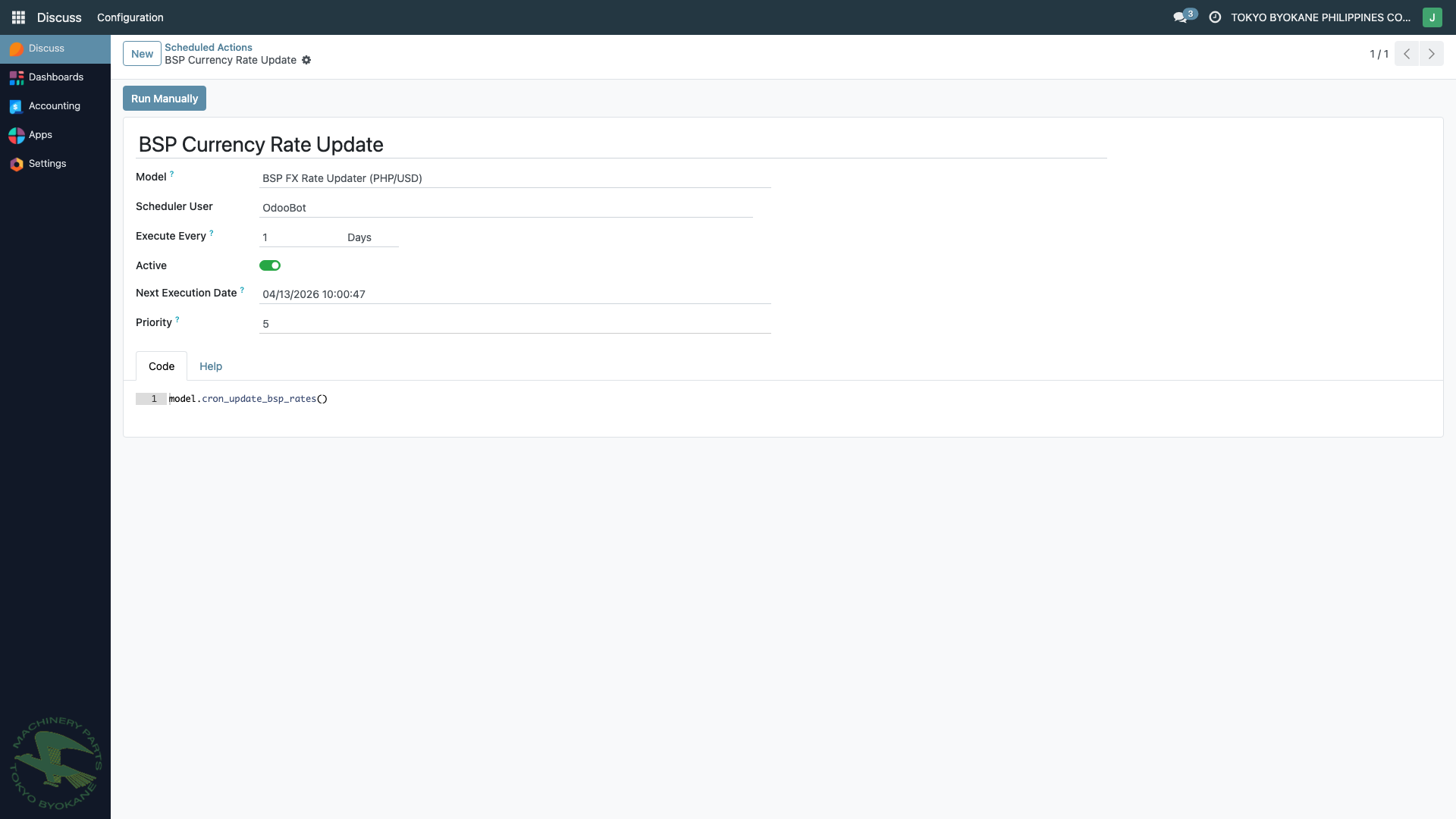
Cron Configuration
| Field | Value |
|---|---|
| Name | BSP Currency Rate Update |
| Model | BSP FX Rate Updater (PHP/USD) |
| Scheduler User | OdooBot |
| Execute Every | 1 Day |
| Active | Yes (enabled) |
| Priority | 5 |
| Code | model.cron_update_bsp_rates() |
The cron runs once per day, typically early morning, and updates all companies' currency rates for today's date. If today's rate already exists, the module updates it (upsert pattern).
Manually Triggering the Cron
If you need to force a rate refresh (e.g., missed sync or urgent update):
- Navigate to Settings > Technical > Automation > Scheduled Actions
- Find "BSP Currency Rate Update"
- Click the Run Manually button at the top of the form
This executes cron_update_bsp_rates() immediately and updates rates across all companies.
:::info Admin Access Required The Scheduled Actions menu is only visible in Developer Mode and requires admin/technical access. Regular users should contact their system administrator if a manual refresh is needed. :::
Manual Update via Menu
For a quicker manual trigger without developer mode, the module provides a dedicated menu action:
Menu Path: Accounting > Configuration > BSP Currency Rates > Update Now
This opens a wizard that updates rates for the current company only (as opposed to the cron which updates all companies).
:::warning Access Control
The BSP Update wizard requires membership in the bsp.rate.updater access group. If you see an "Access Error" message, contact your Accounting Superuser to grant the required permission.
:::
Verifying the Sync
To verify rates are being updated:
- Navigate to Accounting > Configuration > Currencies
- Open the PHP currency record
- Check the Rates table — the most recent date should be today (or yesterday if today's BSP rate hasn't been published yet)
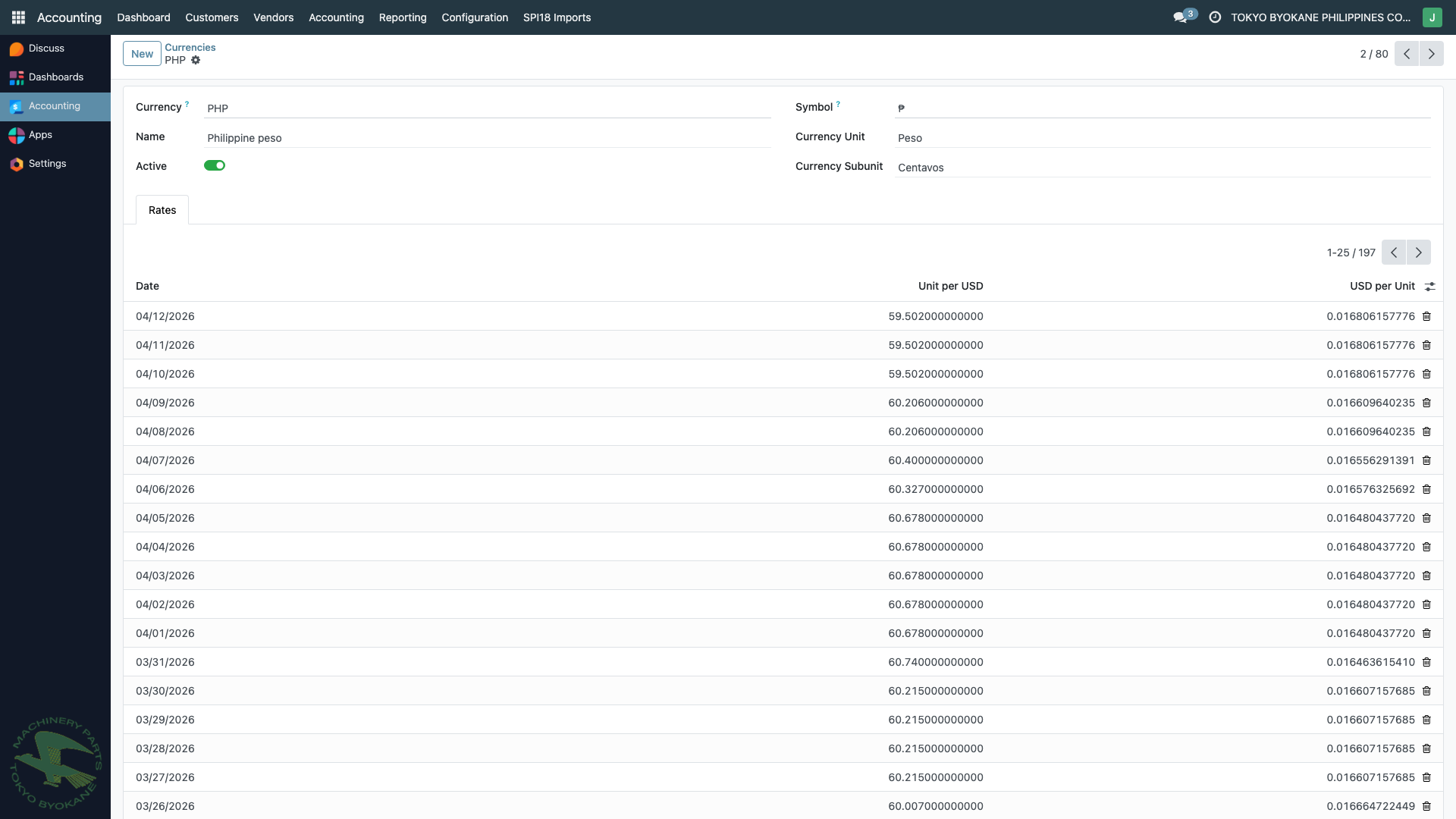
Each entry shows:
- Date — the date the rate is effective for
- Unit per USD — how many PHP for 1 USD (e.g., 59.502)
- USD per Unit — the inverse (0.0168... USD per 1 PHP)
Troubleshooting
No new rate for today
Possible causes:
- BSP hasn't published today's rate yet (usually posted mid-morning PHT)
- Cron failed to connect to BSP (network issue)
- Cron was disabled
- The RERB.xlsx URL structure changed on BSP's site
What to do:
- Check the cron's Active status and Next Execution time
- Run the cron manually via Run Manually
- Check the Odoo server logs for errors in
currency_rate_update_bsp - If BSP URL changed, the module may need a code update
Rate mismatch
If a rate looks wrong compared to BSP's website:
- Verify the rate on BSP's site for the same date
- Open the rate record in Odoo and compare
- If needed, you can manually edit the rate (requires admin access)
- Remember that editing historical rates will not re-post old entries — only new entries will use the corrected rate
:::tip Best Practice Don't manually edit historical rates unless absolutely necessary. Instead, if a journal entry used a wrong rate, reverse it and re-enter it with the correct rate. :::
Module Files (for technical reference)
| File | Purpose |
|---|---|
common/currency_rate_update_bsp/__manifest__.py | Module metadata and dependencies |
common/currency_rate_update_bsp/models/bsp_rate_updater.py | Core logic (BspRateUpdater model) |
common/currency_rate_update_bsp/data/ir_cron.xml | Scheduled action definition |
common/currency_rate_update_bsp/views/menus.xml | UI menu and action |