Multi-Currency Overview
TBPC operates as a PEZA-registered entity with USD as its functional currency and PHP as its local currency. This creates a dual-currency environment where:
- Books of account are kept in USD (functional currency)
- Local transactions (vendor bills, local payments, salaries, utilities) are typically in PHP
- Customer invoices are typically in USD
- BIR tax reports must be filed in PHP
Understanding how Odoo handles multi-currency is essential for accurate bookkeeping.
Currency Setup
The system has three main currencies configured:
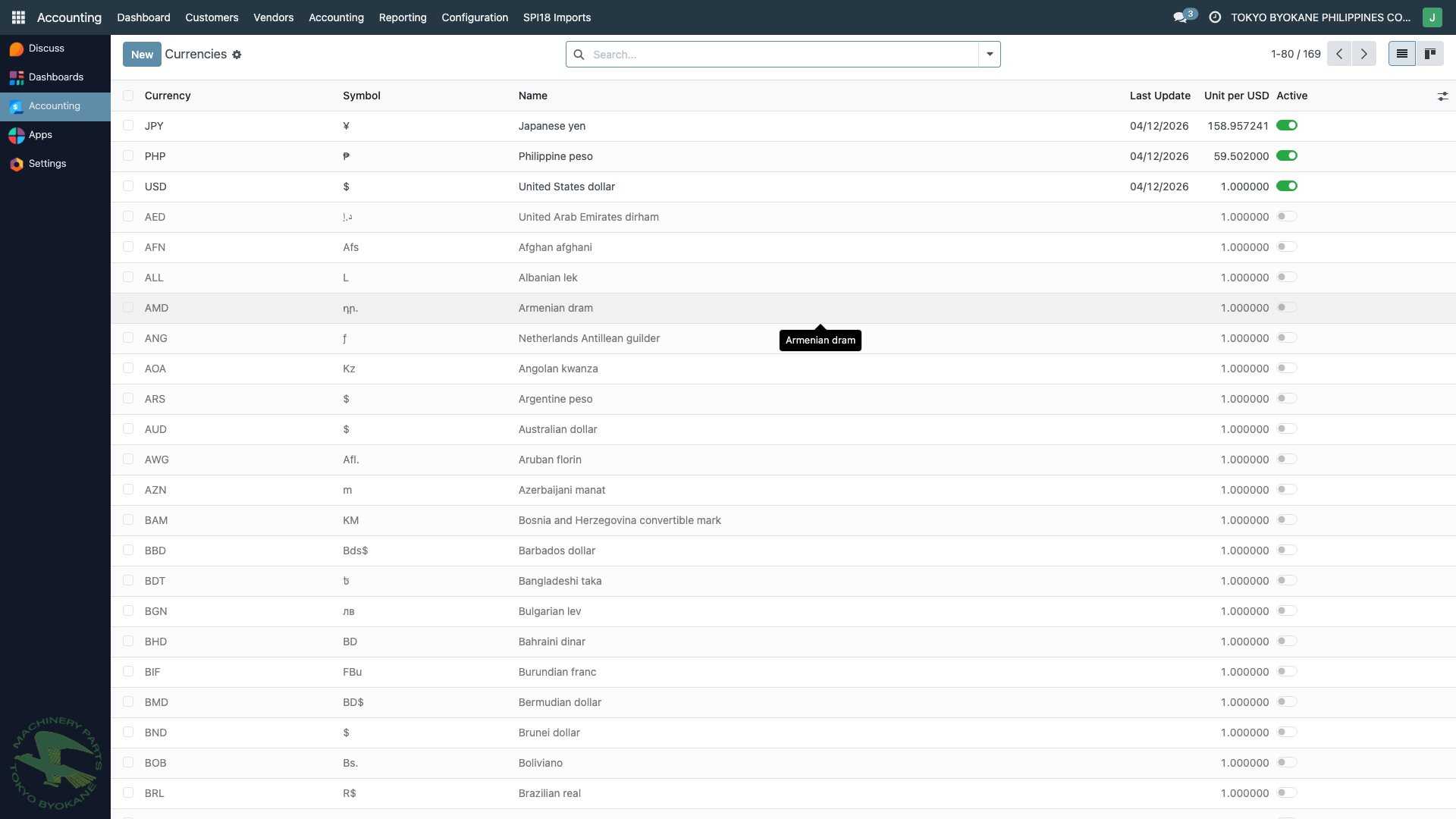
| Currency | Code | Role | Symbol |
|---|---|---|---|
| US Dollar | USD | Company / functional currency | $ |
| Philippine Peso | PHP | Local currency | ₱ |
| Japanese Yen | JPY | Cross-border (used for Japan operations) | ¥ |
Additional currencies are active (AED, AFN, ALL, AMD, etc.) but are rarely used in TBPC's day-to-day operations.
How Odoo Handles Multi-Currency
When you enter a transaction in a currency different from the company currency:
- Odoo records both amounts — the original foreign currency amount AND the converted USD amount
- The conversion uses the exchange rate on the transaction date (from
res.currency.rate) - Reports can be generated in either currency
Example
A PHP vendor bill for ₱83,292.46 dated 12/12/2025 with a rate of 1 PHP = 0.016921 USD is stored as:
- Foreign amount: ₱83,292.46 (currency = PHP)
- Company amount: $1,409.42 (converted USD)
BSP Exchange Rates
TBPC uses Bangko Sentral ng Pilipinas (BSP) rates as the authoritative source for PHP/USD and JPY/USD exchange rates.
How Rates are Sourced
The custom module currency_rate_update_bsp automatically fetches daily reference rates from:
- Primary:
https://www.bsp.gov.ph/Statistics/RERB/RERB.xlsx(BSP Reference Exchange Rate Bulletin)
The module extracts:
- PHP/USD rate — used for PHP transaction conversion
- JPY/USD rate — used for JPY transaction conversion (inverted to Odoo's USD-based convention)
Recent Rate History
Click any currency in the Currencies list to see its historical rates:
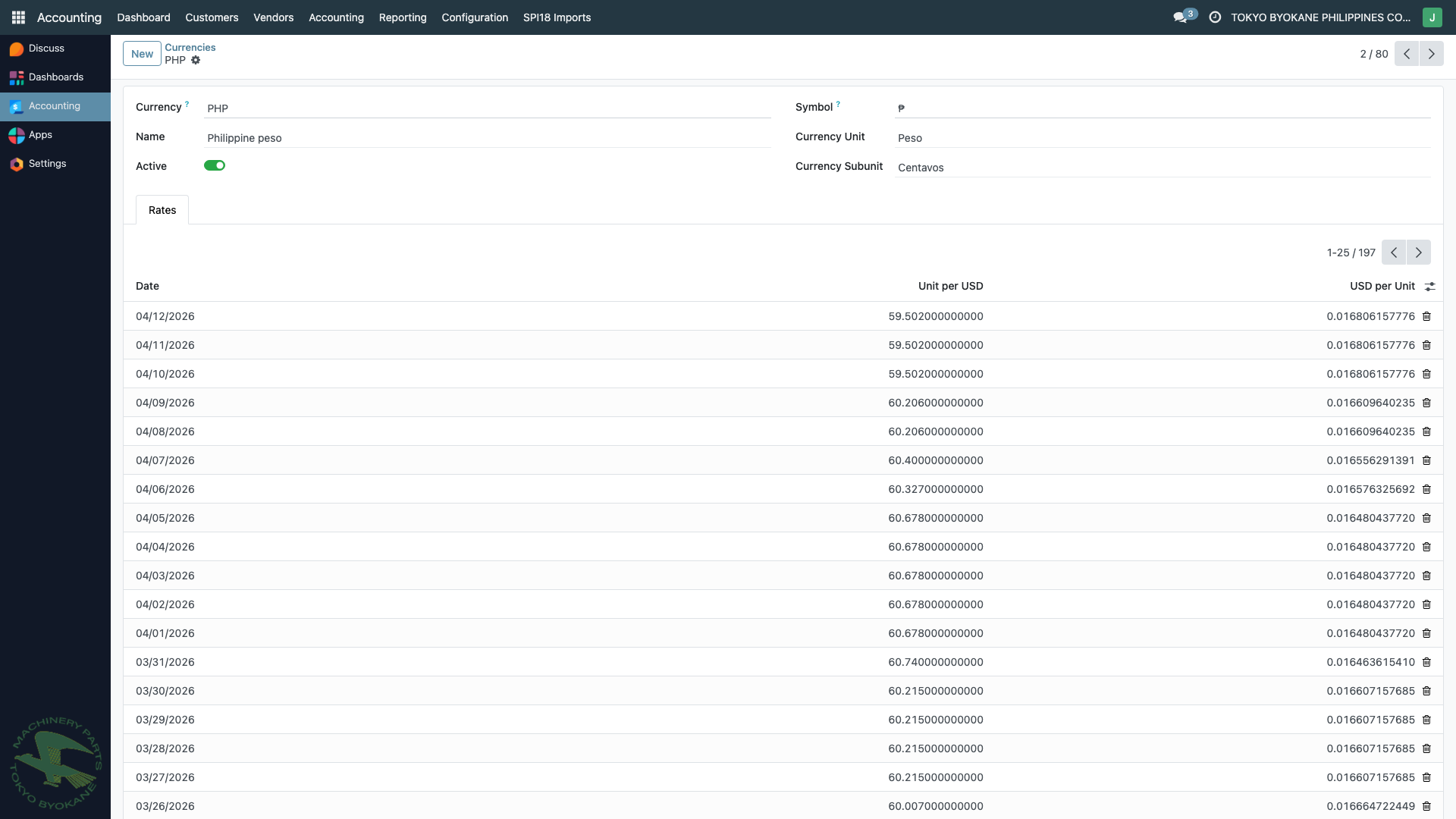
Each row is a date with the rate in effect for that day. Odoo uses the rate matching the transaction date (or the closest prior date if the exact date is missing).
Forex Gain/Loss Accounts
Two accounts are configured on the company for automatic forex entries:
| Account | Code | Purpose |
|---|---|---|
| Forex Gain | 710100 | Credited when exchange rate movement favors TBPC |
| Forex Loss | 710101 | Debited when exchange rate movement works against TBPC |
These are configured in Accounting > Configuration > Settings under Currencies. Odoo automatically posts to these accounts when a multi-currency transaction is reconciled at a different rate than when it was booked.
:::info Automatic Handling You don't need to manually calculate or post forex gain/loss entries — Odoo computes them automatically when you reconcile a multi-currency bill/invoice with a payment. See Forex on Collections and Forex on Disbursements for details. :::
Summary
| Concept | Where to Find |
|---|---|
| Currency list | Accounting > Configuration > Currencies |
| Rate history per currency | Click the currency → see Rates table |
| BSP sync program | See BSP Sync |
| Forex G/L accounts | Accounting > Settings > Currencies section |
| Realized forex on sales | See Forex on Collections |
| Realized forex on purchases | See Forex on Disbursements |