Navigation & Dashboard
Top Menu Bar
The main navigation bar runs across the top of the screen:
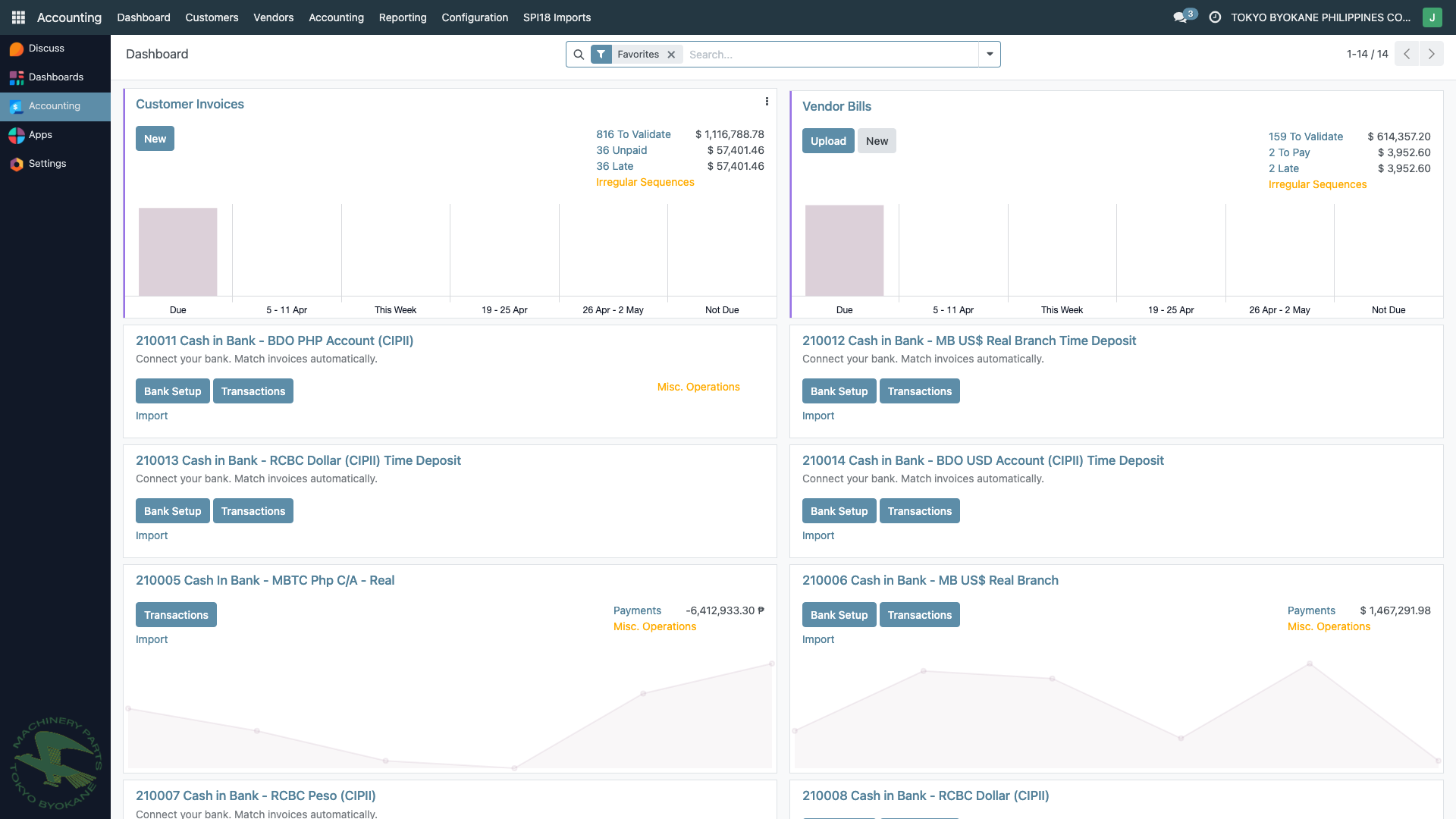
| Menu | Description |
|---|---|
| Dashboard | Overview of invoices, bills, and bank accounts |
| Customers | Customer invoices, payments, and customer records |
| Vendors | Vendor bills, payments, and vendor records |
| Accounting | Journal entries, chart of accounts, bank reconciliation |
| Reporting | Financial reports (GL, GJ, P&L, Balance Sheet, BIR reports) |
| Configuration | System settings, journals, fiscal positions, taxes |
| SPI18 Imports | Import data from SPI18 (Sales/Purchases/Inventory) module |
Left Sidebar
The left sidebar provides quick access to:
- Discuss - Internal messaging
- Dashboards - Custom dashboards
- Accounting - Main accounting module
- Apps - Installed applications
- Settings - System configuration
Customer Invoices List
Navigate to Customers > Invoices to see all customer invoices:
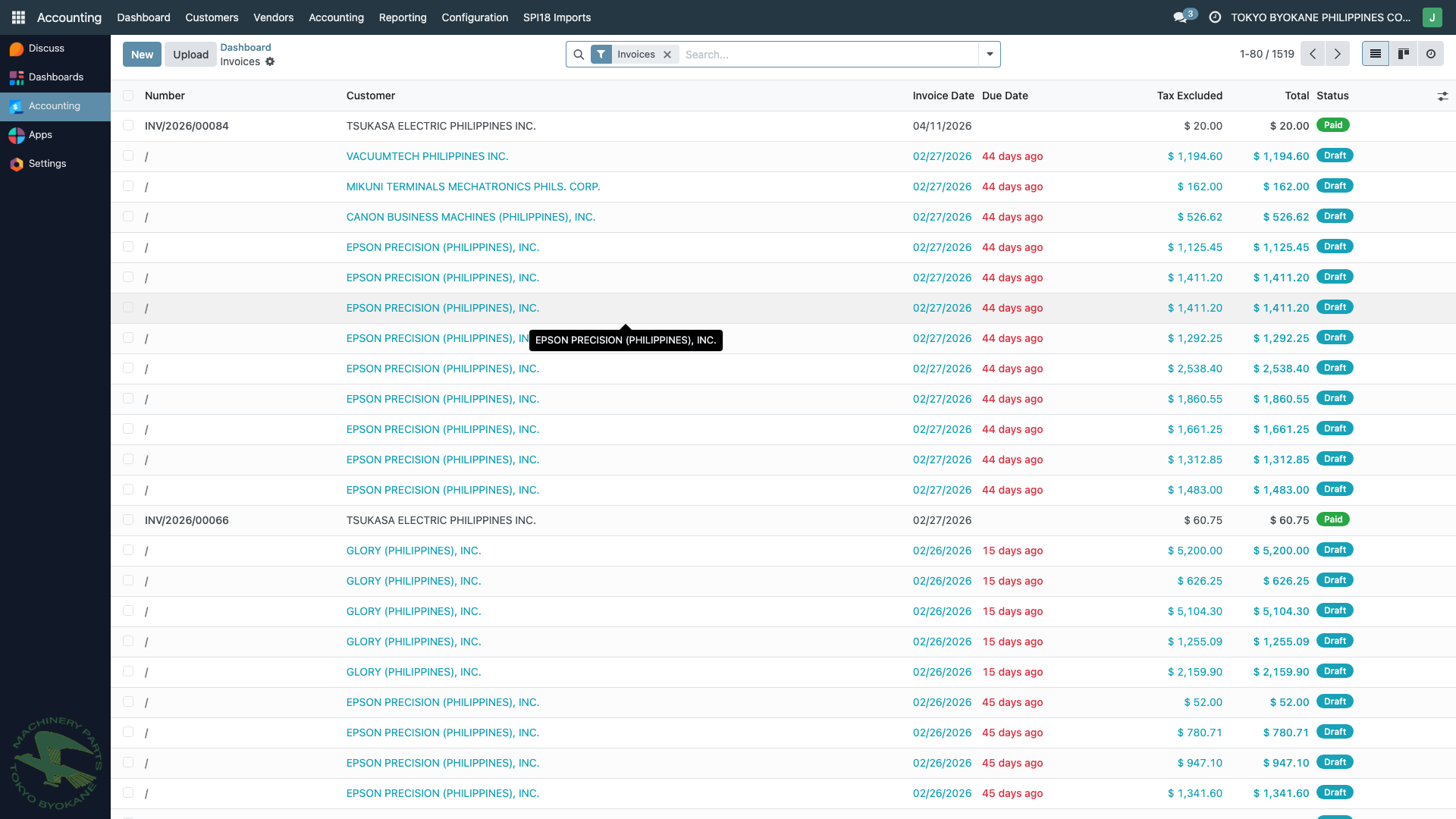
From this list you can:
- Search invoices by number, customer, or date
- Filter by status (Draft, Posted, Cancelled)
- Group by customer, date, or payment status
- Click any invoice to open it
Reporting
Click the Reporting menu in the top navigation bar to access all financial reports:
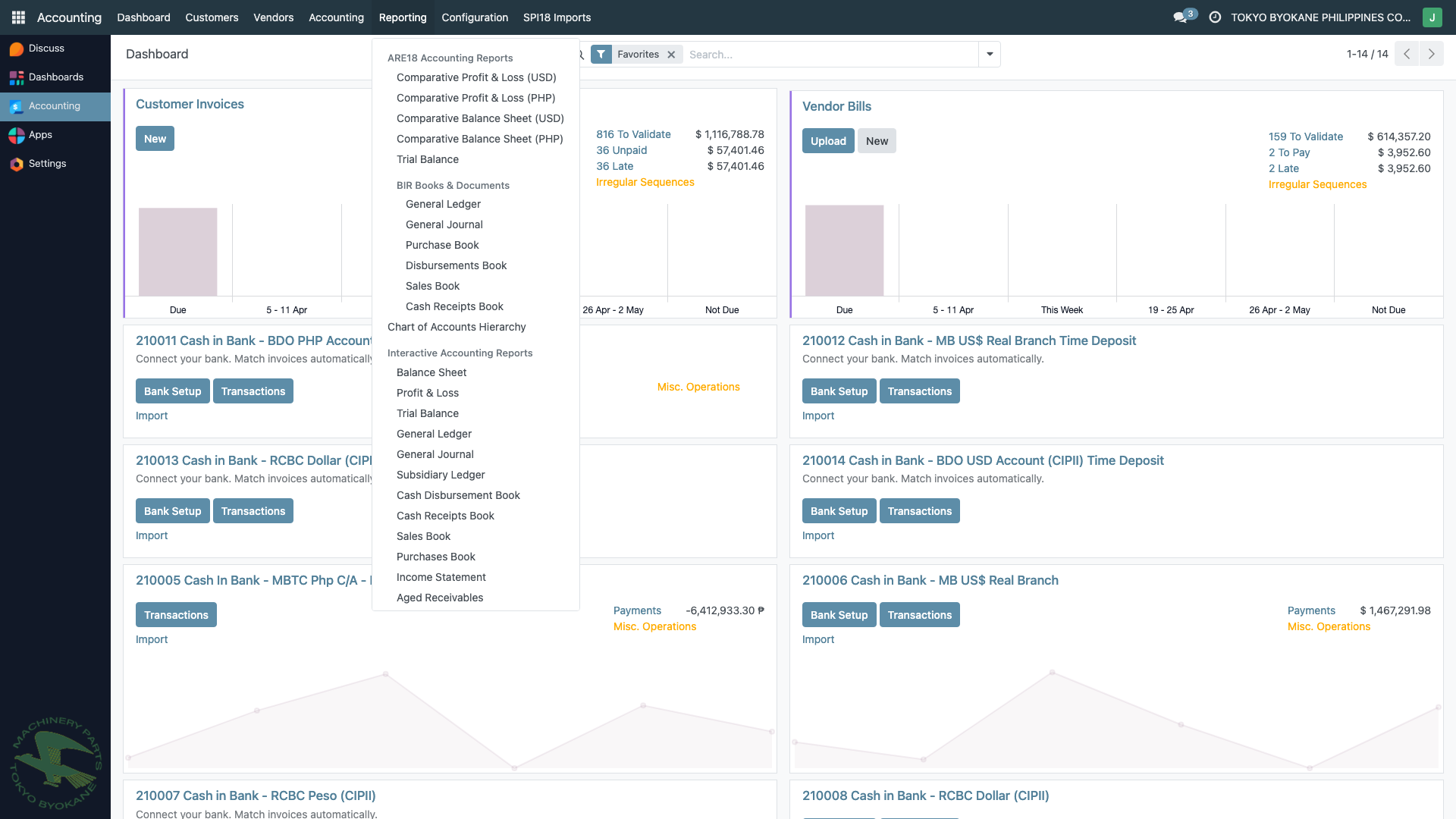
Reports are organized into four groups:
- ARE18 Accounting Reports - Comparative P&L (USD/PHP), Comparative Balance Sheet (USD/PHP), Trial Balance
- BIR Books & Documents - General Journal, General Ledger, Purchase Book, Disbursements Book, Sales Book, Cash Receipts Book
- Chart of Accounts Hierarchy
- Interactive Accounting Reports - Balance Sheet, Profit & Loss, Trial Balance, General Ledger, Subsidiary Ledger, Cash Disbursement Book, Cash Receipts Book, Purchase Book, Income Statement, Aged Receivables
Keyboard Shortcuts
| Shortcut | Action |
|---|---|
Alt + Q | Open quick search |
Alt + 1-9 | Switch between open tabs |
Ctrl + S | Save current record |