Debit Notes - Price Increase Adjustment
Use a Debit Note when a product price has increased after an invoice was already paid. The customer underpaid and owes the difference.
When to Use
- Product price went up after billing
- Customer sent a check for the original billed amount
- You need to charge the customer the additional amount
Example Scenario
- Invoice INV/2025/01491: billed $261.85 to customer
- Customer sends a check for $261.85 (invoice marked as Paid)
- Product price increases by $20.00
- You need to create a Debit Note for $20.00
Step-by-Step
Step 1: Open the Paid Invoice
Navigate to Customers > Invoices and open the target invoice.
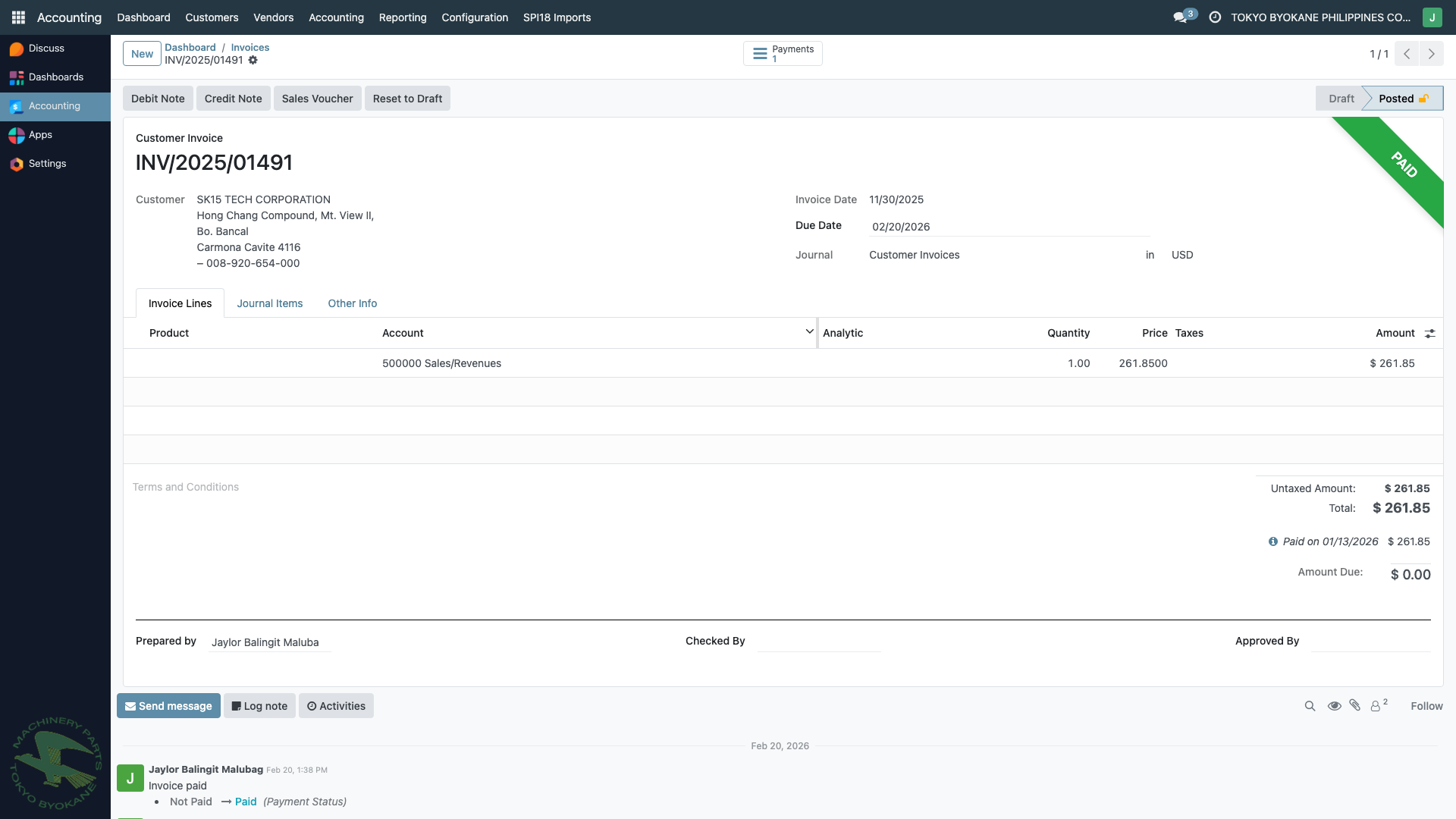
Note the Debit Note button in the action bar at the top.
Step 2: Click "Debit Note"
Click the Debit Note button. The wizard opens:
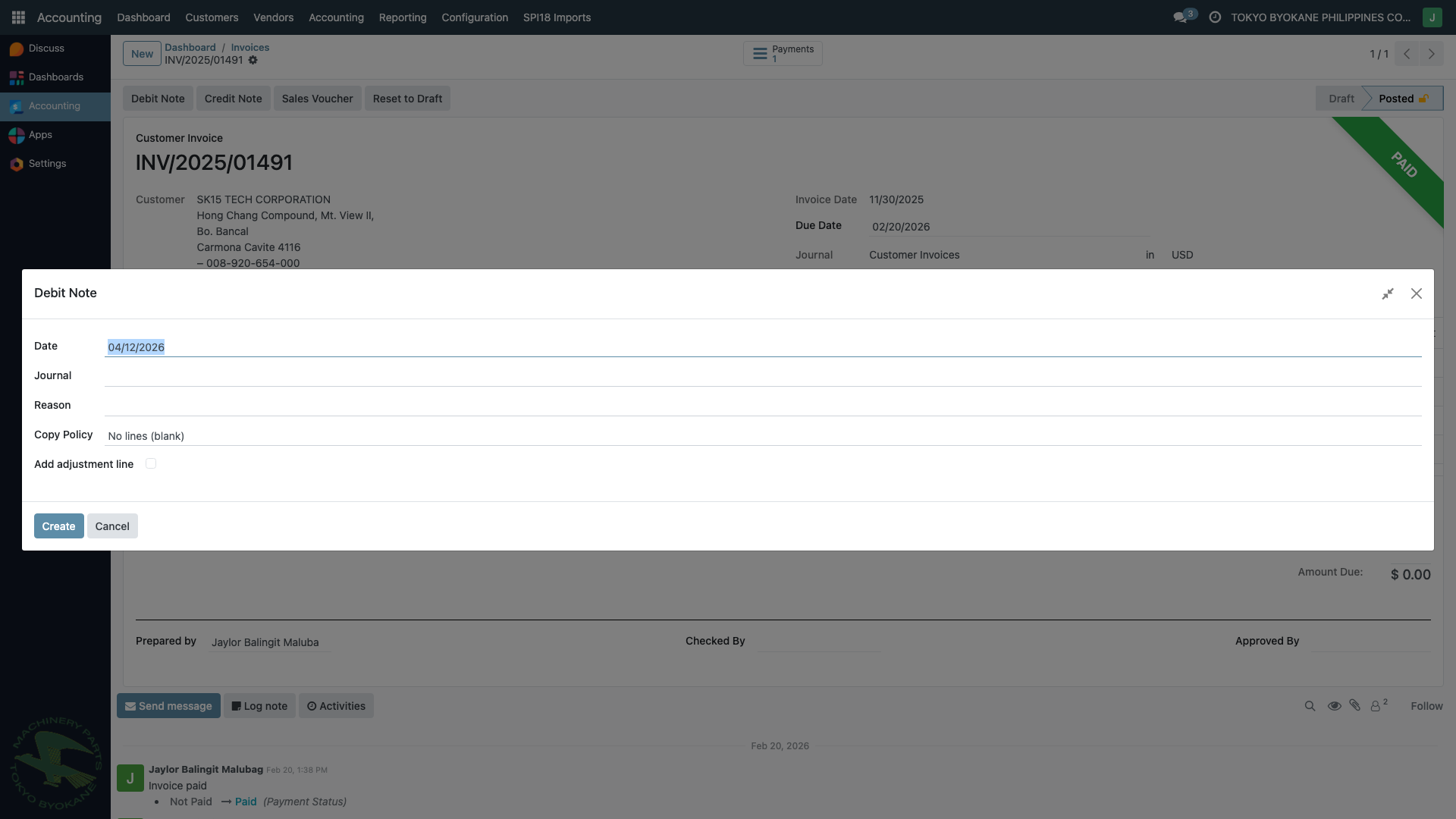
Step 3: Fill in the Wizard
| Field | What to Enter |
|---|---|
| Date | Date of the debit note (defaults to today) |
| Journal | Select "Customer Invoices" |
| Reason | Why you're creating the debit note |
| Copy Policy | Choose how to populate lines (see below) |
Copy Policy Options
| Option | Use Case |
|---|---|
| No lines (blank) | Simple price adjustment - use "Add adjustment line" |
| Copy all lines | Copy all original invoice lines |
| Select specific lines | Pick which lines to copy |
Step 4: Add Adjustment Line
For a simple price adjustment, select "No lines (blank)", check "Add adjustment line", and fill in:
- Adjustment Label: Description (e.g., "Price increase - Product A")
- Adjustment Amount: The price difference (e.g., $20.00)
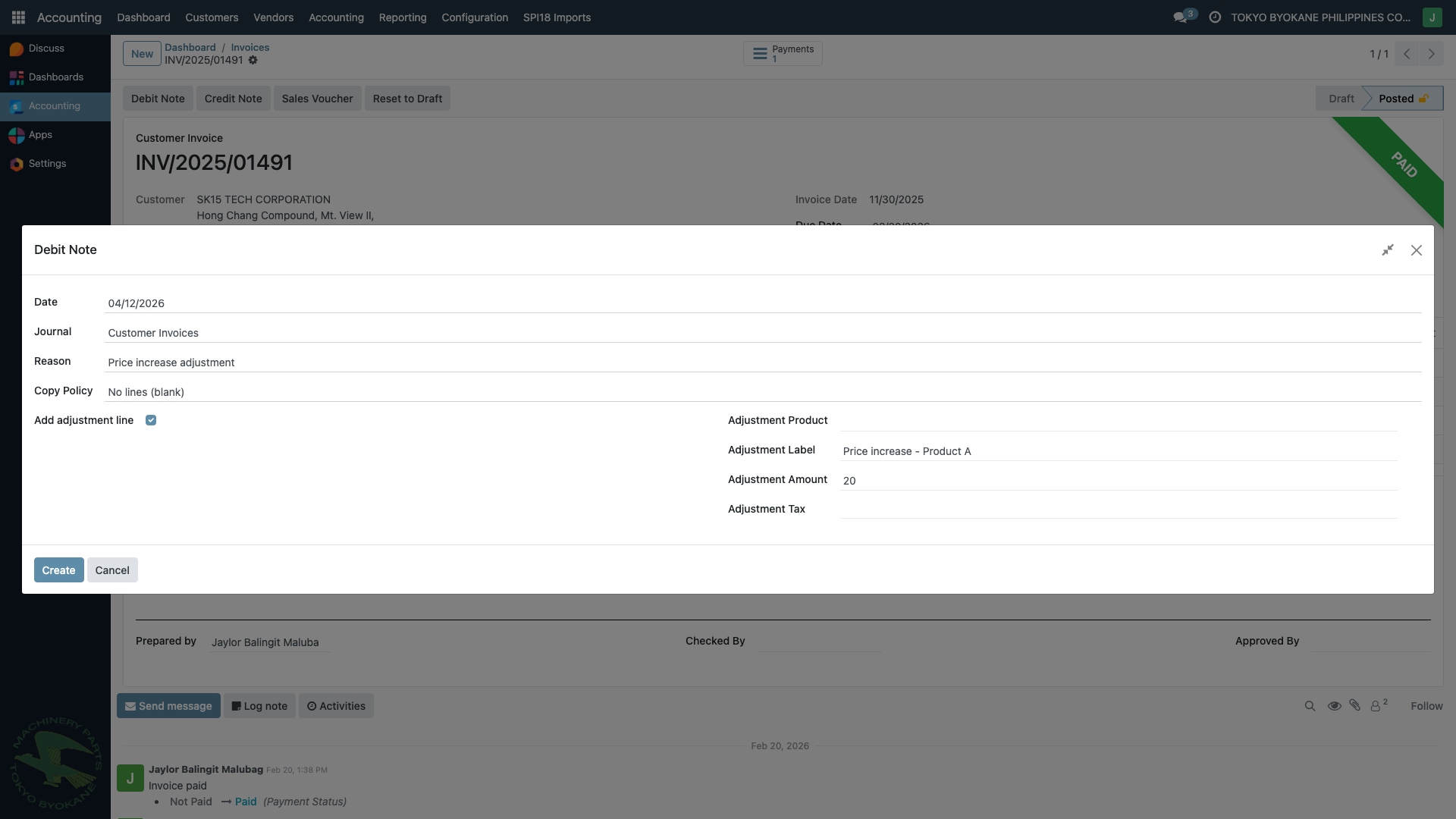
Step 5: Click "Create"
Click Create. A new draft debit note is created:
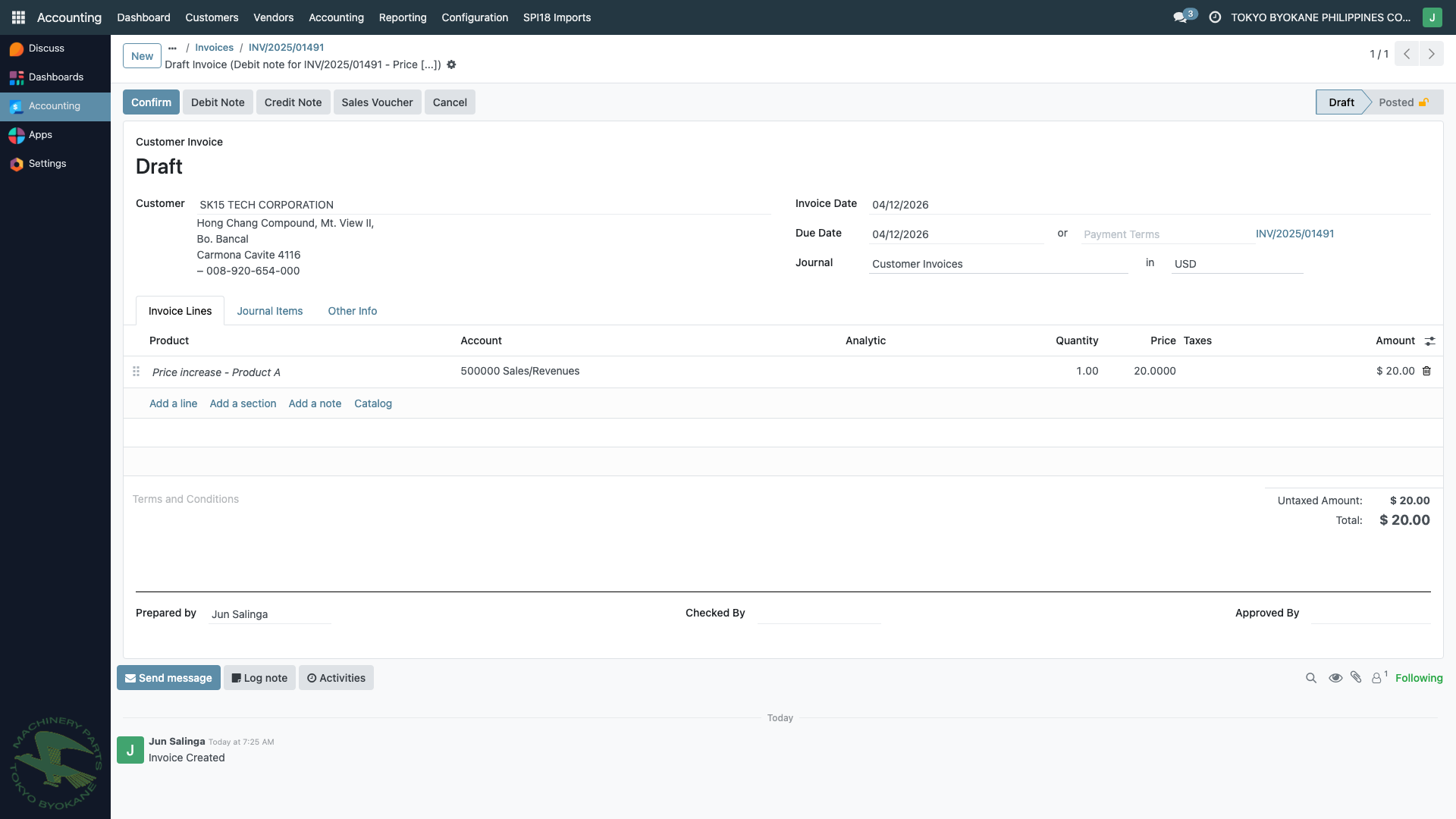
The draft shows:
- Reference to the original invoice in the Origin Invoice field
- The $20.00 adjustment line
- Status: Draft (ready for review)
Step 6: Review and Confirm
Review the lines. You can still edit, add, or remove lines. When satisfied, click Confirm to post the debit note.
Accounting Effect
| Account | Debit | Credit |
|---|---|---|
| Accounts Receivable | $20.00 | |
| Revenue / Sales | $20.00 |
The customer now has a new open balance of $20.00 to pay.
:::info Important The original paid invoice remains unchanged. The debit note is a separate document that creates an additional receivable. :::