Debit Notes - Freight Charge to Customer
Use a Debit Note to bill a customer for freight / shipping charges that were not included on the original sales invoice. Common when freight cost is determined after delivery, or when the customer agreed to shoulder freight separately.
When to Use
- Original SI was issued and possibly already paid
- Freight cost is now known (carrier billed you, or freight is being passed to customer)
- You need a separate billable document the customer can match to their AP
Example Scenario
- Origin invoice INV/2026/00063 to HARADA AUTOMOTIVE ANTENNA PHILS. INC. for $415.00 (Paid)
- Freight cost incurred: $115.47
- Issue Debit Note INV/2026/00064 (DN3003) for the freight
Step-by-Step
Step 1: Open the Origin Invoice
Navigate to Customers → Invoices and open the original sales invoice.
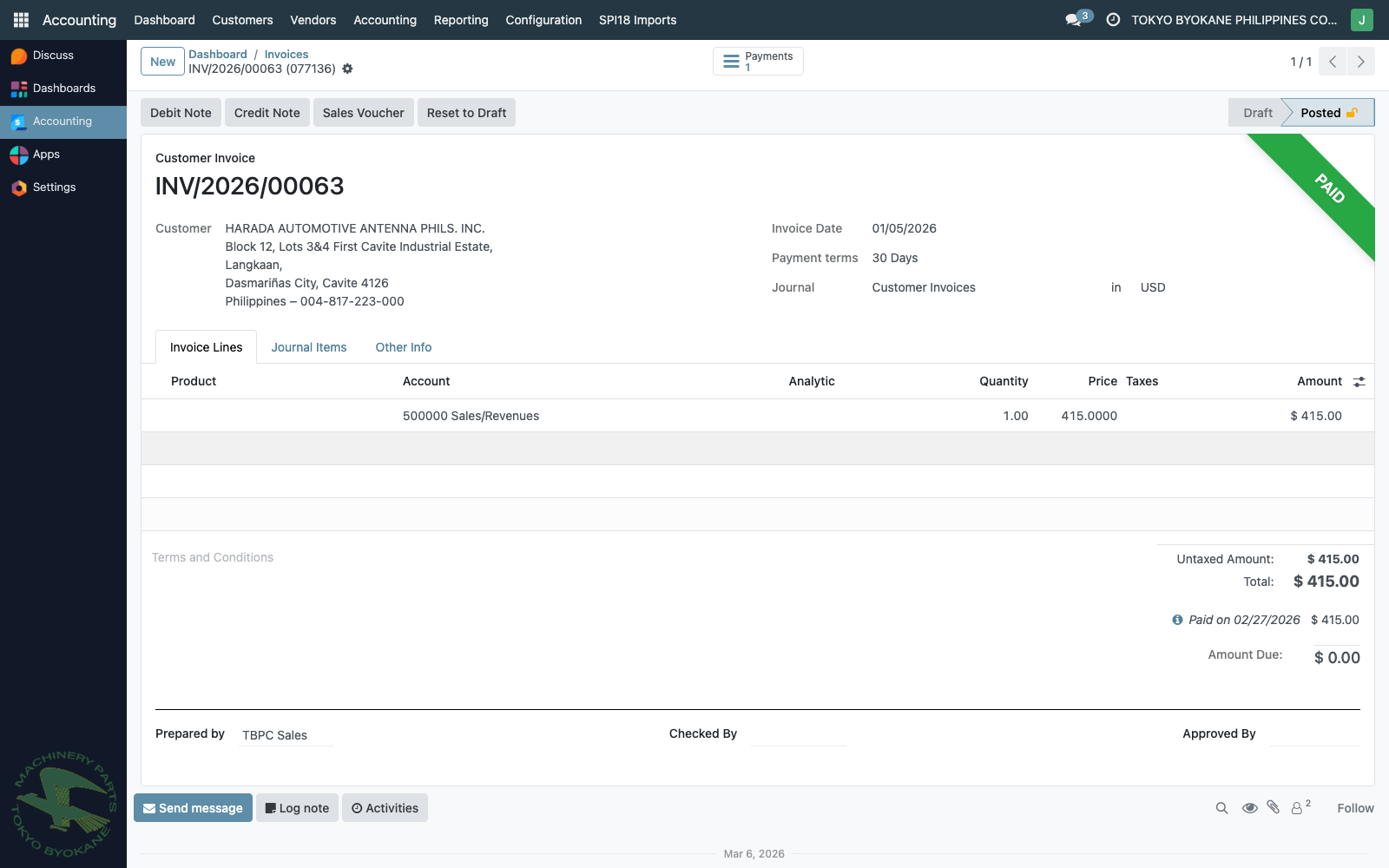
The invoice can be in any state — Posted, Paid, even fully reconciled. The freight DN is a standalone billable document; it does not modify the origin invoice.
Step 2: Click "Debit Note"
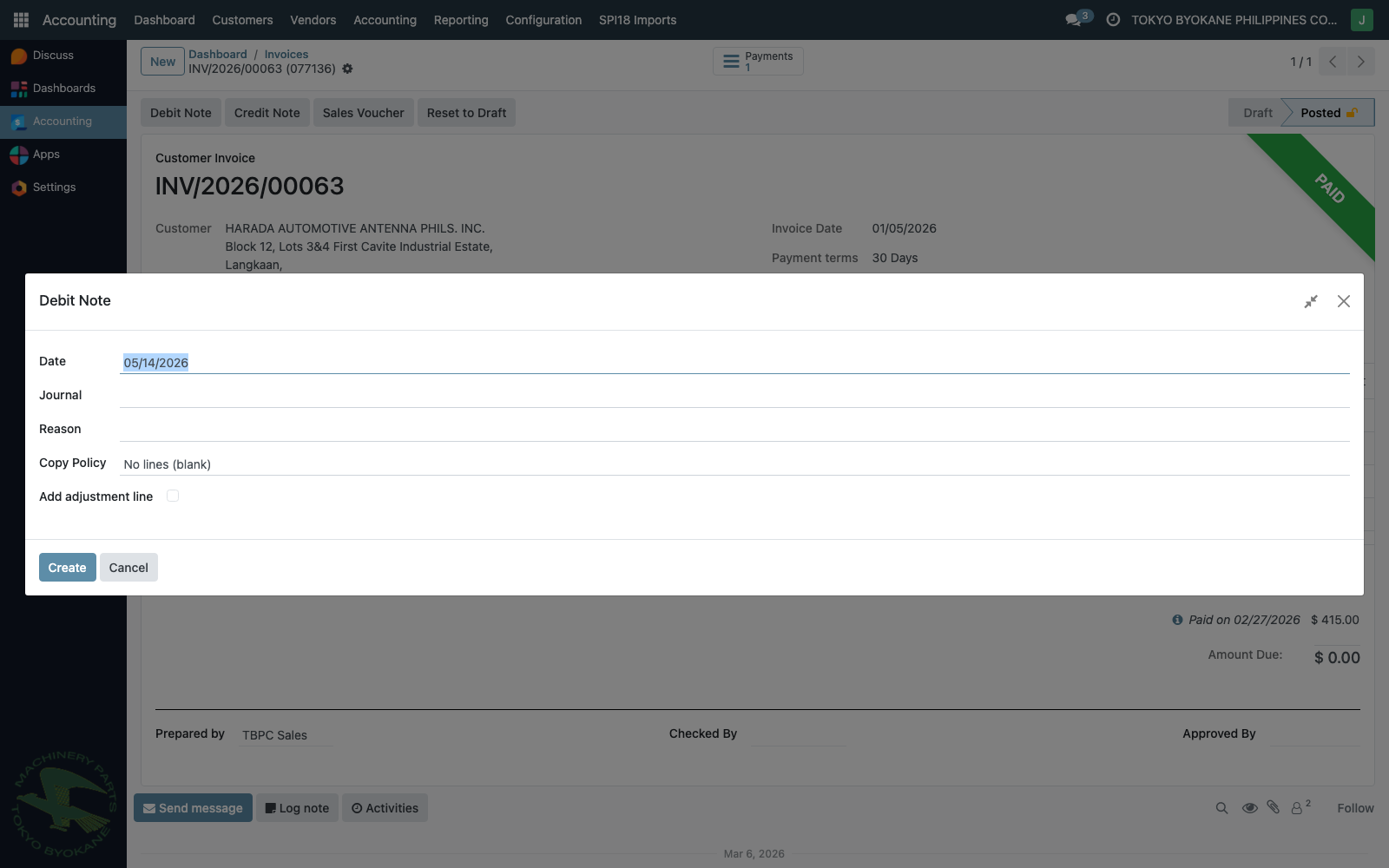
Click the Debit Note button in the action bar. The wizard opens:
Step 3: Fill the Header
| Field | Enter |
|---|---|
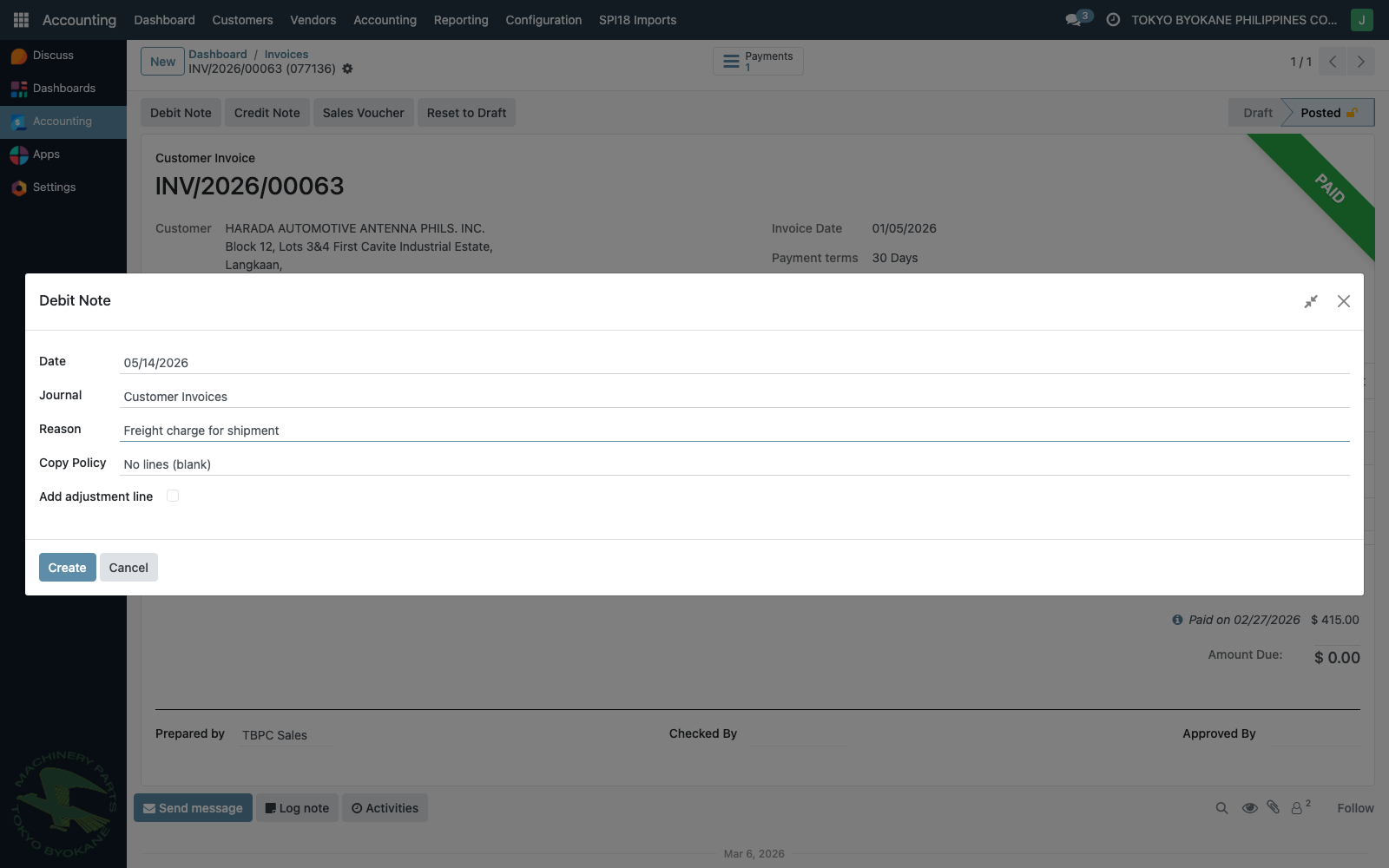
| Date | Date of the debit note (defaults to today) |
| Journal | Customer Invoices |
| Reason | "Freight charge for shipment" (or similar) |
| Copy Policy | No lines (blank) — freight is a new charge, not a copy of original lines |
Step 4: Add the Freight Adjustment Line
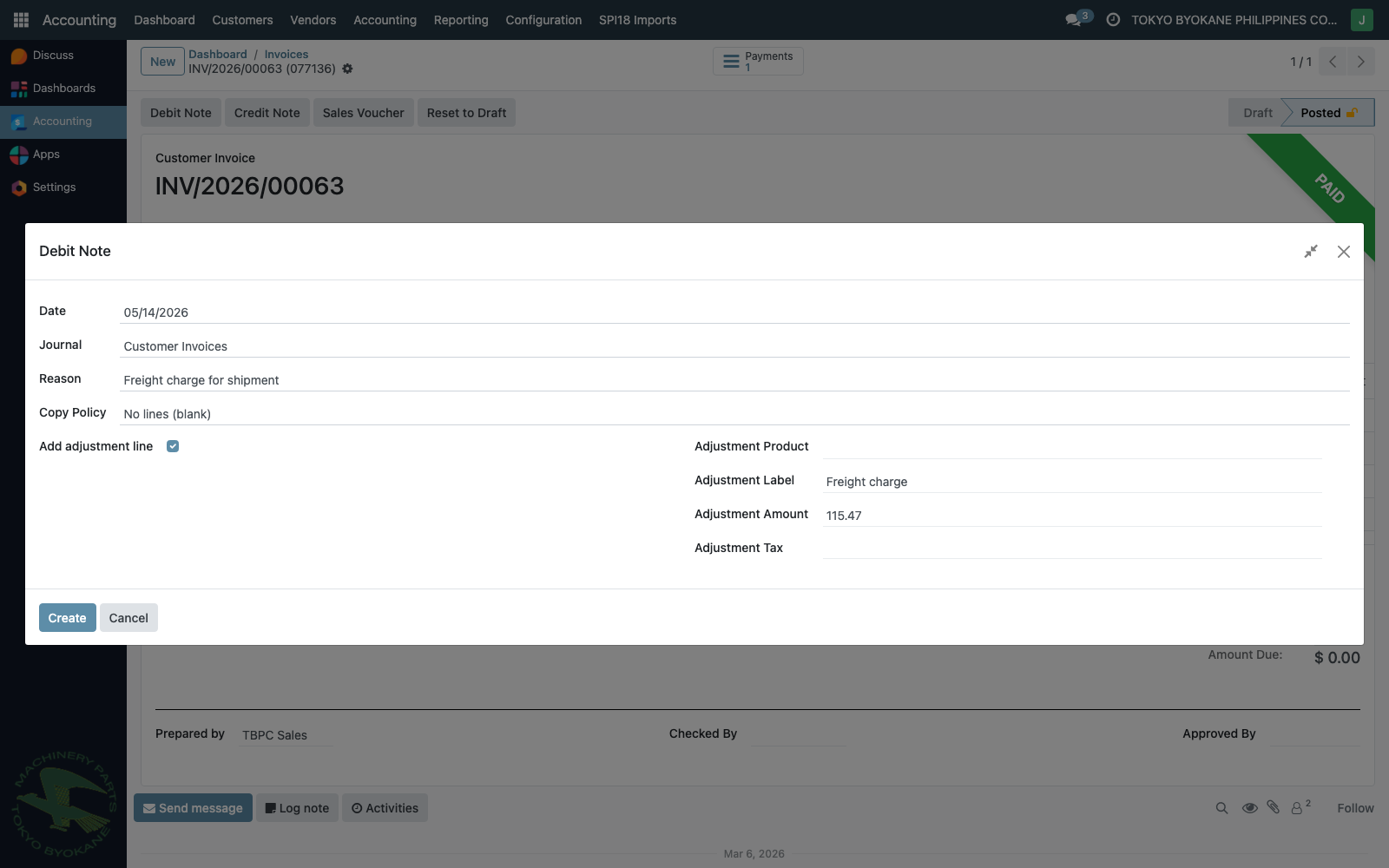
Tick Add adjustment line, then fill:
| Field | Enter |
|---|---|
| Adjustment Label | "Freight charge" (or descriptive label) |
| Adjustment Amount | The freight amount (e.g. 115.47) |
| Adjustment Product | Optional — leave blank if no dedicated freight product exists |
| Adjustment Tax | Set if VAT applies; leave blank if zero-rated |
Step 5: Click "Create"
A new draft debit note is created (same out_invoice document type as a regular SI, but flagged as a debit note and linked back to the origin via Origin Invoice).
Step 6: Set the Freight Account on the Line (manual)
:::warning Important — manual step
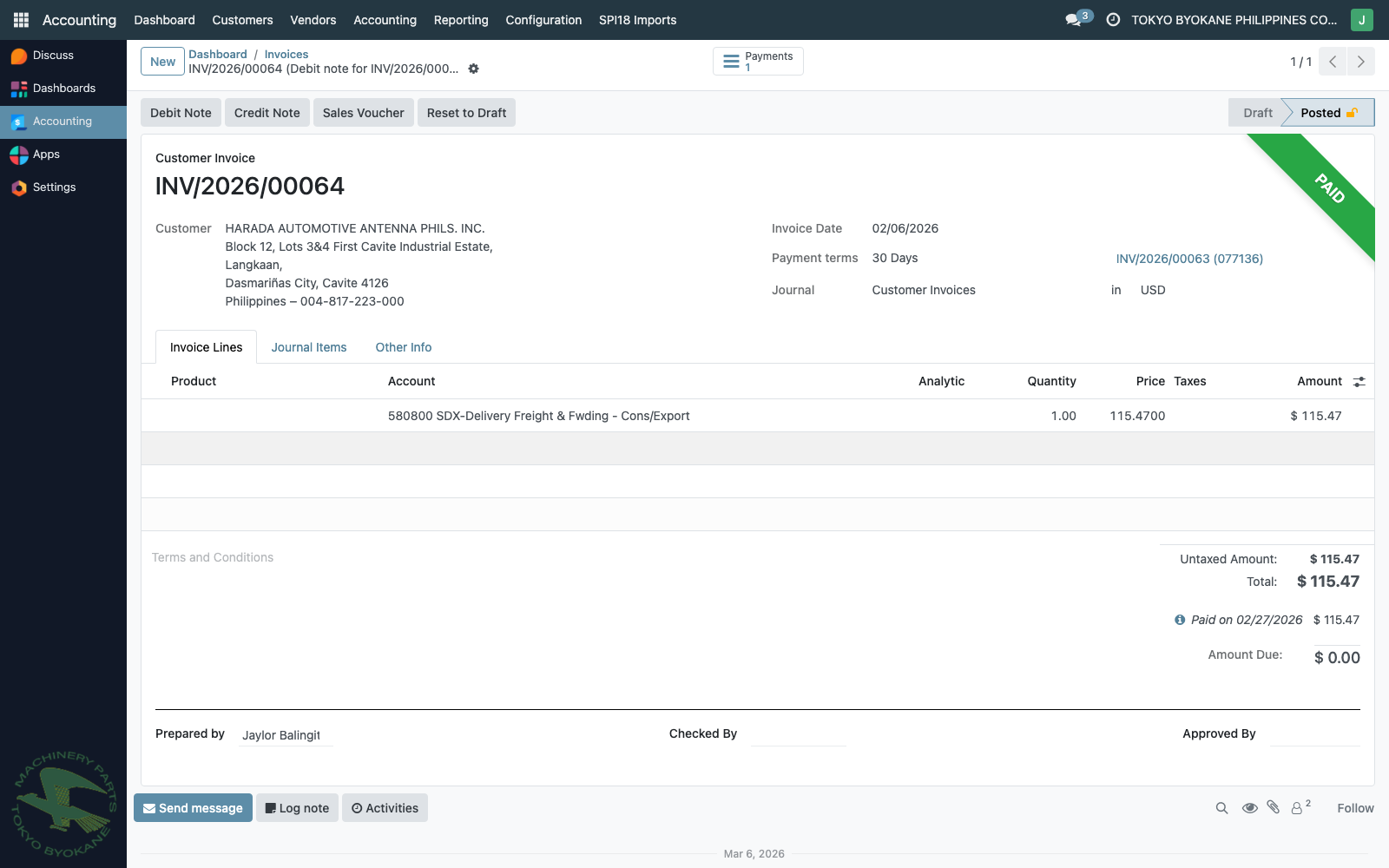
Since no dedicated Freight product exists in the master, the adjustment line is created with the default revenue account. You must manually edit the line and set its Account to the freight GL account (e.g. 580800 SDX-Delivery Freight & Fwding - Cons/Export, or 513000 DCM-Delivery Freight & Fwding - Imports depending on the company / freight type).
:::
Step 7: Confirm and Post
Review and post. The posted DN appears as a normal customer invoice with one freight line:
Accounting Effect
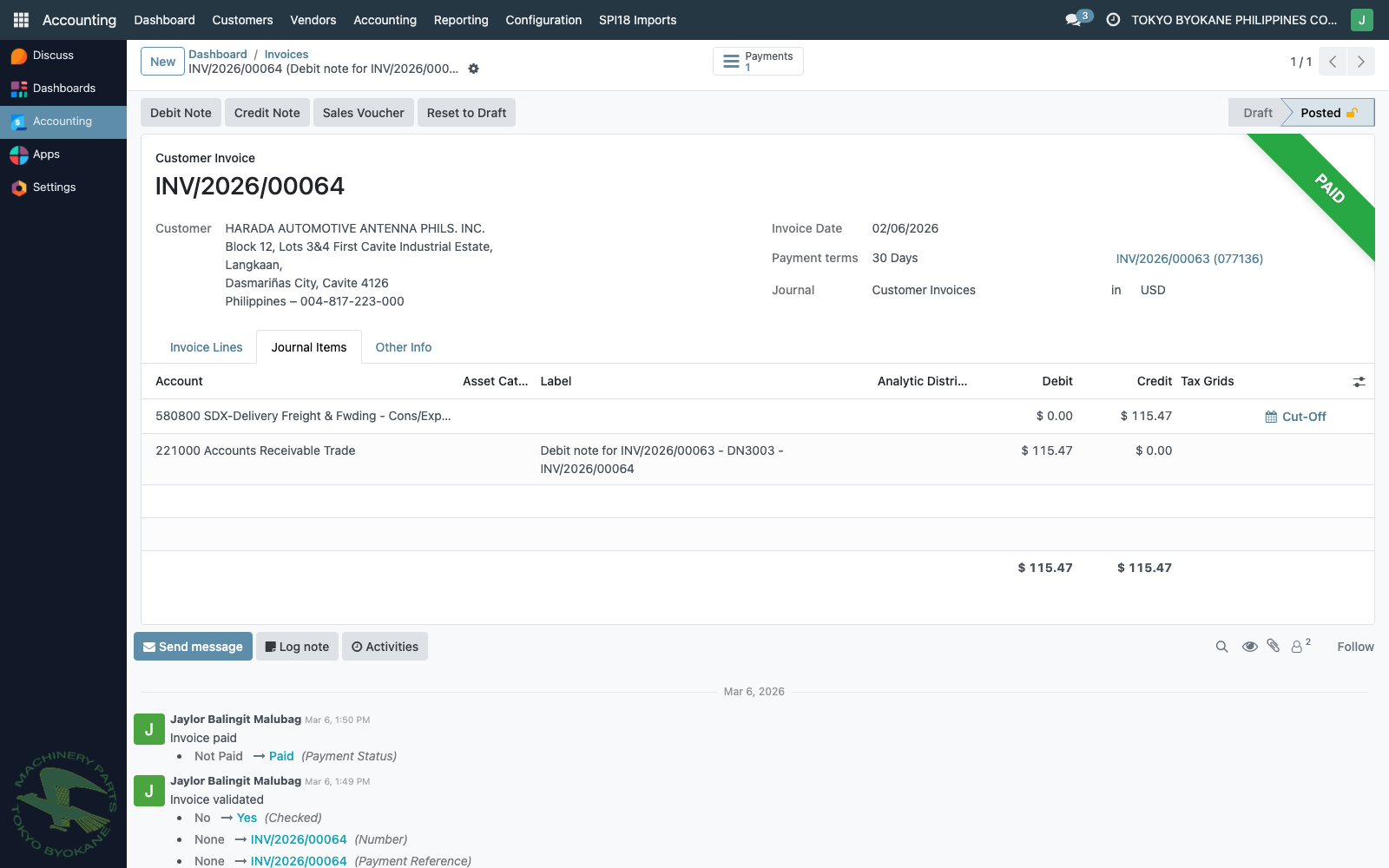
The Journal Items tab on the posted DN shows the GL impact:
| Account | Debit | Credit |
|---|---|---|
221000 Accounts Receivable Trade | 115.47 | — |
580800 SDX-Delivery Freight & Fwding (Cons/Export) | — | 115.47 |
The customer now owes an additional $115.47, and the freight account receives a credit of $115.47.
Known Concern — Account Classification
:::caution Accounting note (open item for future cleanup)
The freight account 580800 (and its production sibling 513000 DCM-Delivery Freight & Fwding - Imports) is in the 5xxxxx series — i.e., an expense / COGS account. Crediting customer-billed freight to an expense account follows the net presentation approach: the customer's payment offsets the company's freight expense rather than being recognized as freight revenue.
This has two implications:
- Reporting: The freight DN line ends up grouped under the expense account (
580800), not under Sales — but because the document is in the Customer Invoices journal, the BIR Sales Book / Sales Summary report still picks up the line under the sales totals (it groups by journal, not by account family). - PFRS 15 presentation: When TBPC is principal on the freight (i.e., arranges shipping and bears risk), gross presentation is preferred — Freight Revenue separate from Freight Expense.
Future state (planned with the JS-style report rewrite):
- Create a dedicated
4xxxxx Freight RevenueGL account (sibling ofSales). - Create a Freight (Outbound) service product whose Income Account is the new Freight Revenue account.
- Use that product on freight DN lines — the account is set automatically; no manual GL editing.
- The new OWL Sales / Revenue Summary will then segregate freight from product sales naturally, by account family.
Until then, continue the current workflow above. No retroactive change to existing freight DNs is required. :::
Reference — Production Report Snapshot
For context, the Journal Summary by Control Account report (Sales journal, March 2026) on production shows the same pattern — freight credited to 513000:
Accounts                                            DEBITS         CREDITS
210020 - Accounts Receivable Trade                  569,833.95          0.00
410000 - Sales                                            0.00    569,077.15
513000 - DCM-Delivery Freight & Fwding - Imports          0.00        756.80
Grand Total                                         569,833.95    569,833.95
The freight portion ($756.80) IS already segregated at the GL line level — it's the report's grouping (or downstream summary reports that group by journal) that lumps it under "Sales".