Printing a Sales Voucher
Once a customer invoice is posted, you can print the Sales Voucher as an internal approval and audit document.
What is a Sales Voucher?
The Sales Voucher is an internal document that:
- Shows the company header and logo (Tokyo Byokane Philippines Corporation)
- Identifies the customer (SOLD TO)
- References the invoice number and date
- Shows the journal entry lines (debit to A/R, credit to Sales)
- Includes signature lines for Prepared By, Checked By, Approved By
- Shows exchange rate info for multi-currency invoices
How to Print
- Open the posted invoice (Customers > Invoices > select invoice)
- Click the Sales Voucher button in the action bar
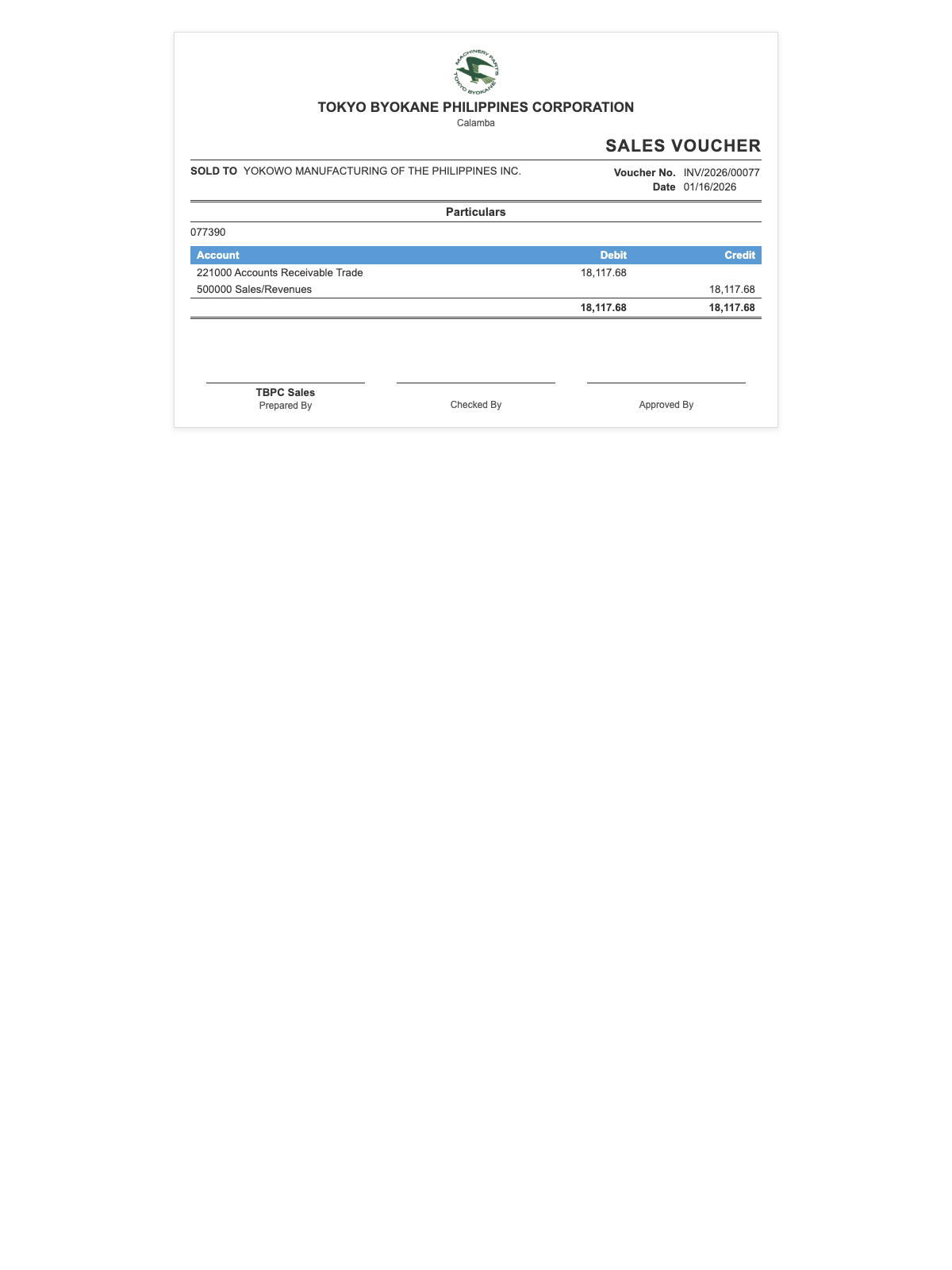
- The voucher opens in a new browser tab with the print dialog
- Print or save as PDF using your browser's print function (Ctrl+P / Cmd+P)
Multi-Currency Invoices
For invoices in a currency other than USD (company functional currency), the voucher shows:
- Rate: The currency exchange rate used
- Equivalent: The USD equivalent of the invoice amount
When to Use
- Internal approval trail — route the voucher through Checked By and Approved By signatories
- Audit documentation — file with the invoice copy for BIR audit support
- Dispute resolution — provides a clear, printable record of the sale
:::tip Print Settings The Sales Voucher uses your browser's native print function. Before printing:
- Set page size to A4 or Letter
- Use portrait orientation
- Enable background graphics to print the logo and table headers :::
Related Documents
| Document | Purpose | When |
|---|---|---|
| Sales Voucher | Internal approval + audit trail | Every posted invoice |
| Debit Note | Additional charge after paid invoice | Price increase |
| Credit Note | Refund/credit after paid invoice | Price decrease |
| Collection Voucher | Receipt for customer payment | When payment is collected |
:::info No BIR 2307 on Sales Unlike vendor bills, customer invoices in ARE18 do not generate BIR Form 2307. BIR Form 2307 is a certificate of withholding tax issued by the payor to the payee — so it's the customer who would issue a 2307 to TBPC when paying us (if they're a top withholding agent). TBPC keeps that received 2307 to claim tax credits on its own income tax returns. :::