Sales Order Balances
The Sales Order Balances report answers a single operational question: "What does the team still need to ship?"
It lists every confirmed sales order line that hasn't been fully delivered yet, with the open balance and dollar value.
Navigation: Sales → Reporting → Sales Order Balances
Default view: grouped by Customer, filtered to With Order Balance (lines where balance > 0).
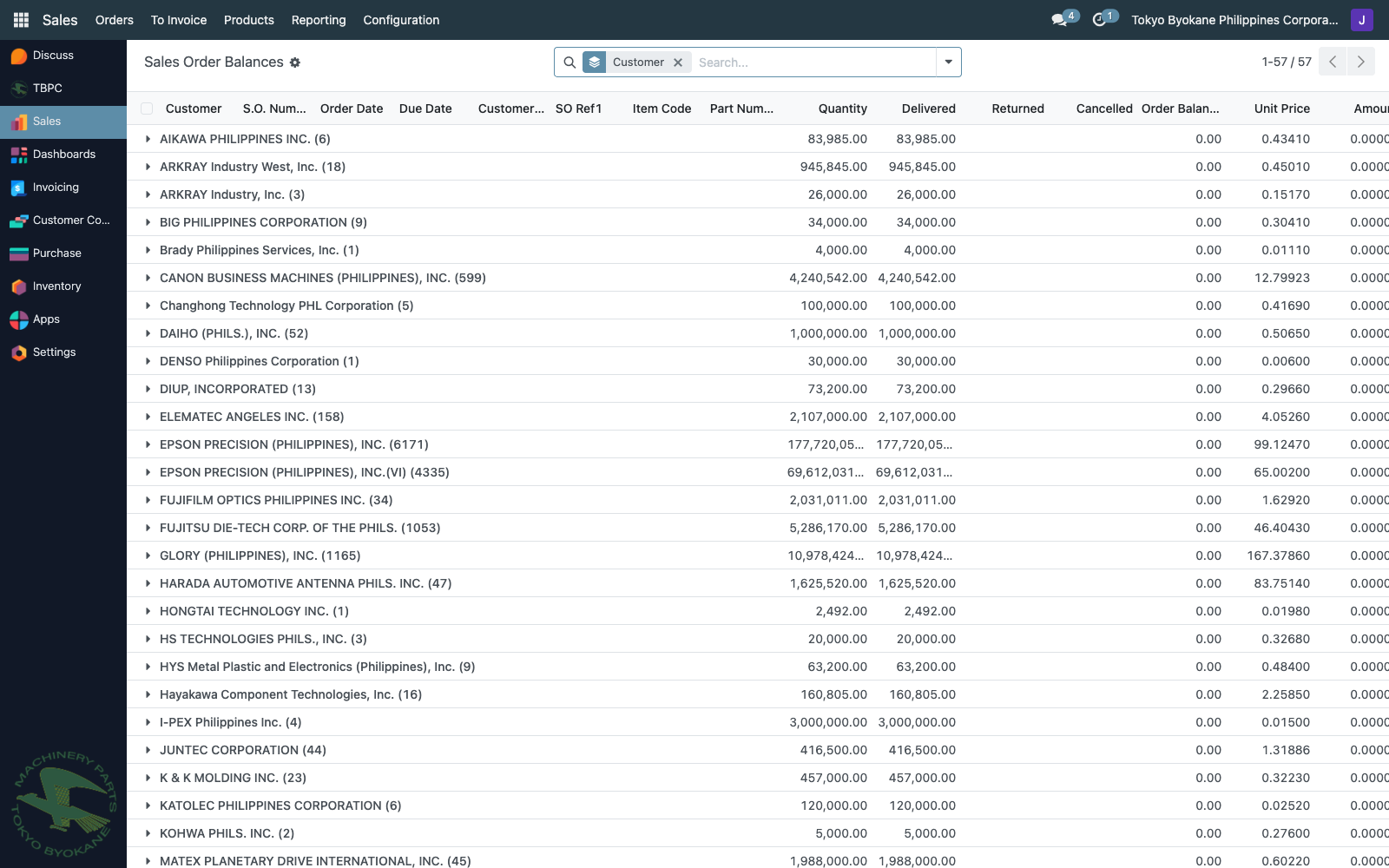
(Filter With Order Balance removed in the screenshot above to show how the columns are populated — the default view hides lines where balance has reached 0.)
Columns
| Column | Meaning |
|---|---|
| Customer | Bill-to partner from the SO. |
| S.O. Number | Source sales order. |
| Date Order | When the SO was confirmed. |
| Due Date | Promised delivery date for the line. |
| Customer Reference | The customer's PO number or reference. |
| SO Ref1 | Internal reference. |
| Item Code | Internal product code. |
| Part Number | Vendor / customer-facing part name. |
| Quantity | Originally ordered quantity. |
| Delivered | Net shipped — delivered minus refund returns (Odoo standard qty_delivered). |
| Returned | Sum of done customer returns flagged for refund. Visibility column. |
| Cancelled | Sum of stock moves on cancelled pickings for the line. |
| Order Balance | What still needs to be shipped (see below). |
| Unit Price | SO line unit price. |
| Amount | Order Balance × Unit Price — open dollar value. |
| Delivery Dates | History of done moves. +qty = outgoing delivery, -qty = customer return. |
How the balance is computed
Order Balance = Quantity − Delivered − Returned − Cancelled
The Returned subtraction is what makes a fully-returned-for-refund SO drop off the report:
- Customer was sent N, returned N for refund:
Delivered = 0(Odoo nets refund returns out),Returned = N. Order Balance = N − 0 − N − 0 = 0→ SO is treated as operationally complete.
If a customer return was not flagged for refund (e.g. for repair / replacement), the line stays on the report because operationally we still owe them a re-delivery.
Reading common situations
Normal in-flight SO:
| Quantity | Delivered | Returned | Cancelled | Balance |
|---|---|---|---|---|
| 1,000 | 600 | 0 | 0 | 400 |
400 still to ship.
Fully delivered:
| Quantity | Delivered | Returned | Cancelled | Balance |
|---|---|---|---|---|
| 1,000 | 1,000 | 0 | 0 | 0 |
Drops off the default view.
Customer returned everything for refund:
| Quantity | Delivered | Returned | Cancelled | Balance |
|---|---|---|---|---|
| 1,000 | 0 | 1,000 | 0 | 0 |
SO is operationally finished — drops off the report. The Returned column shows what came back.
Return for replacement (to_refund = False on the return):
| Quantity | Delivered | Returned | Cancelled | Balance |
|---|---|---|---|---|
| 1,000 | 1,000 | 0 | 0 | 0 |
The return doesn't affect the report — operationally the goods were delivered. Repair / replacement is tracked separately.
Reading Delivery Dates
The history string uses signed quantities so you can see at a glance what happened:
04/15/2026(+1,000), 04/27/2026(-1,000)
+1,000on 04/15 — outgoing delivery validated-1,000on 04/27 — customer return validated
If you only see + entries, the SO is purely on the outbound path. Any - entry means a return happened for that line.
Related guides
- Purchase Order Balances — the equivalent report on the buying side.
- Receipt Over-Validation Fix — corresponding correction flow on the purchase side.