Financial Statements
Core financial statements showing the company's financial position and performance. All financial statements are generated using the Interactive Accounting Reports module with capabilities for on-screen display, drill-down to source transactions, Excel export, and browser printing.
Navigation: Accounting > Reporting > Interactive Accounting Reports
Balance Sheet
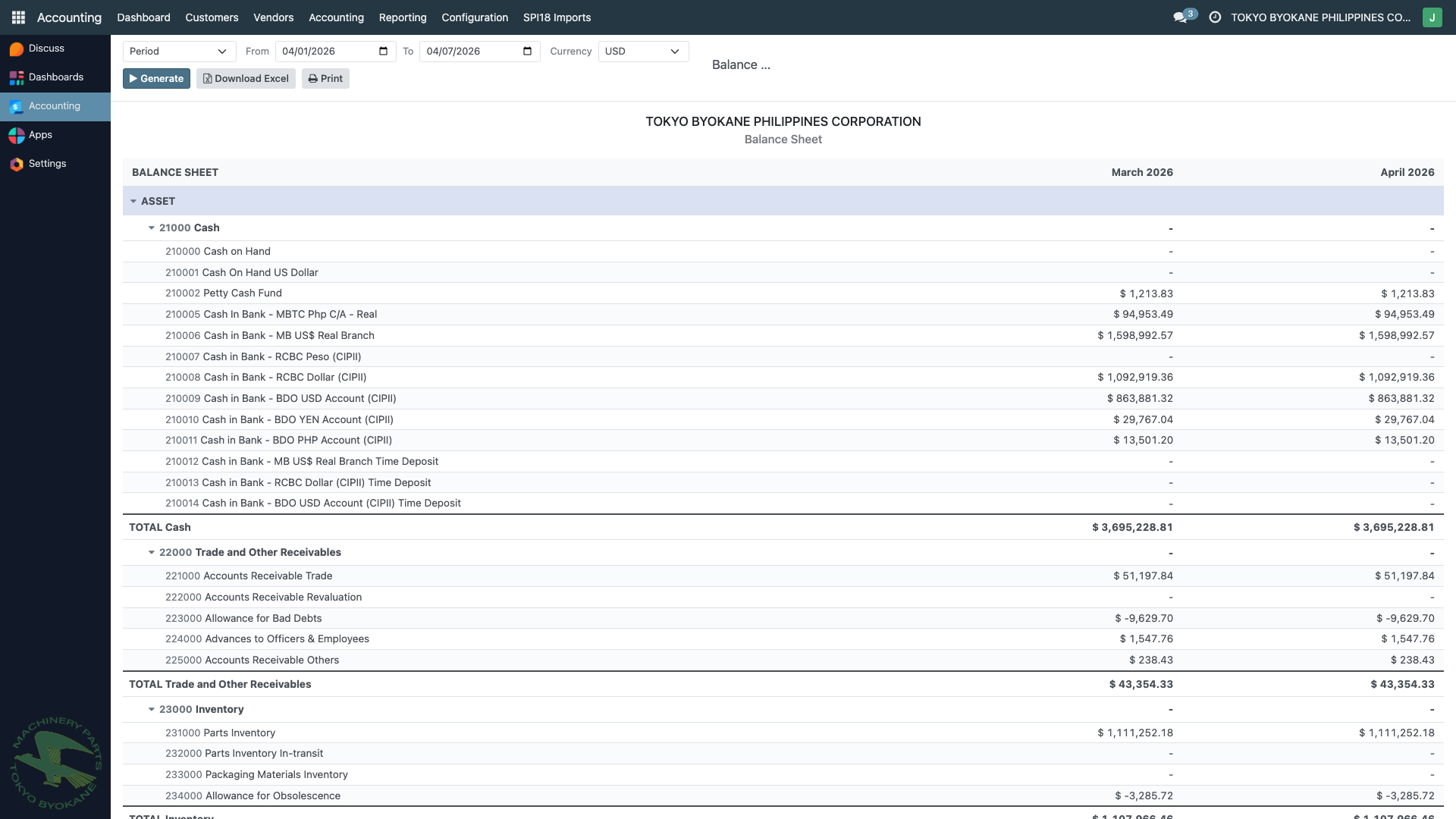
The Balance Sheet presents the company's financial position at a given date, showing assets, liabilities, and equity with comparative period columns.
Report Contents:
- Current and Non-current Assets with subtotals
- Current and Non-current Liabilities with subtotals
- Stockholders' Equity
- Comparative columns (current period vs. prior period)
- Account code and name with hierarchical grouping
Use Cases:
- Monthly financial reporting
- Year-end audit preparation
- BIR compliance filing
- Management review
Profit & Loss
The Profit & Loss statement summarizes revenues, costs, and expenses for a given period to show the company's profitability.
Report Contents:
- Revenue/Income accounts
- Cost of Revenue/Cost of Goods Sold
- Gross Profit computation
- Operating Expenses breakdown
- Net Income/Loss
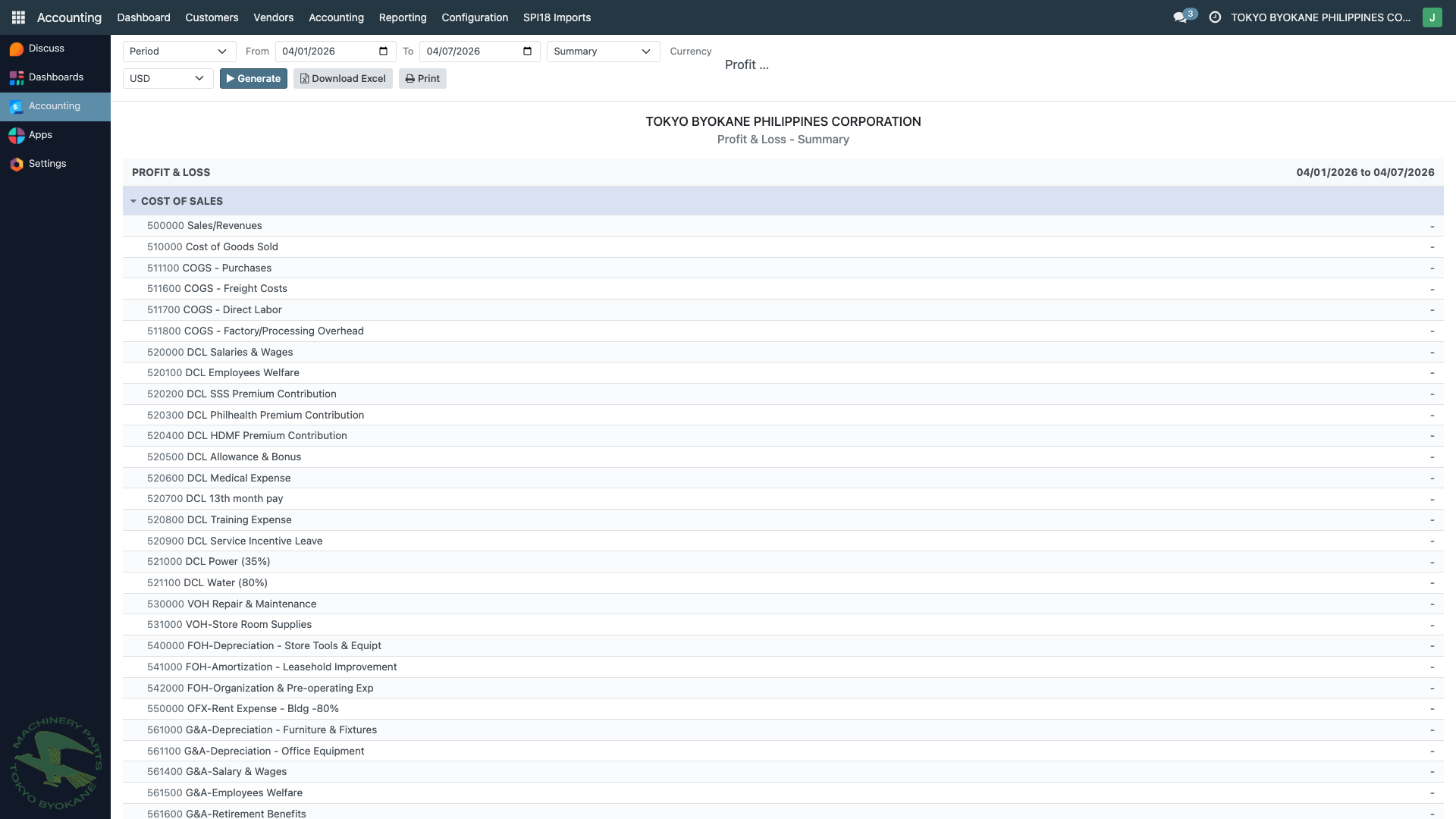
:::tip Multi-Period Comparison The P&L report supports period modes: Period, Yearly, Quarterly, and Monthly. Use these to generate comparative P&L statements across multiple periods side by side. :::
Trial Balance
The Trial Balance lists all accounts with their beginning balances, period movements (debit/credit), and closing balances. This report is essential for verifying that debits equal credits and serves as the starting point for preparing financial statements.
Report Contents:
- Account code and account name
- Initial Balance (Debit/Credit)
- Period Balance (Debit/Credit)
- Closing Balance (Debit/Credit)
- Grouped by account category (Bank and Cash, Cost of Revenue, Current Assets, Current Liabilities, etc.)
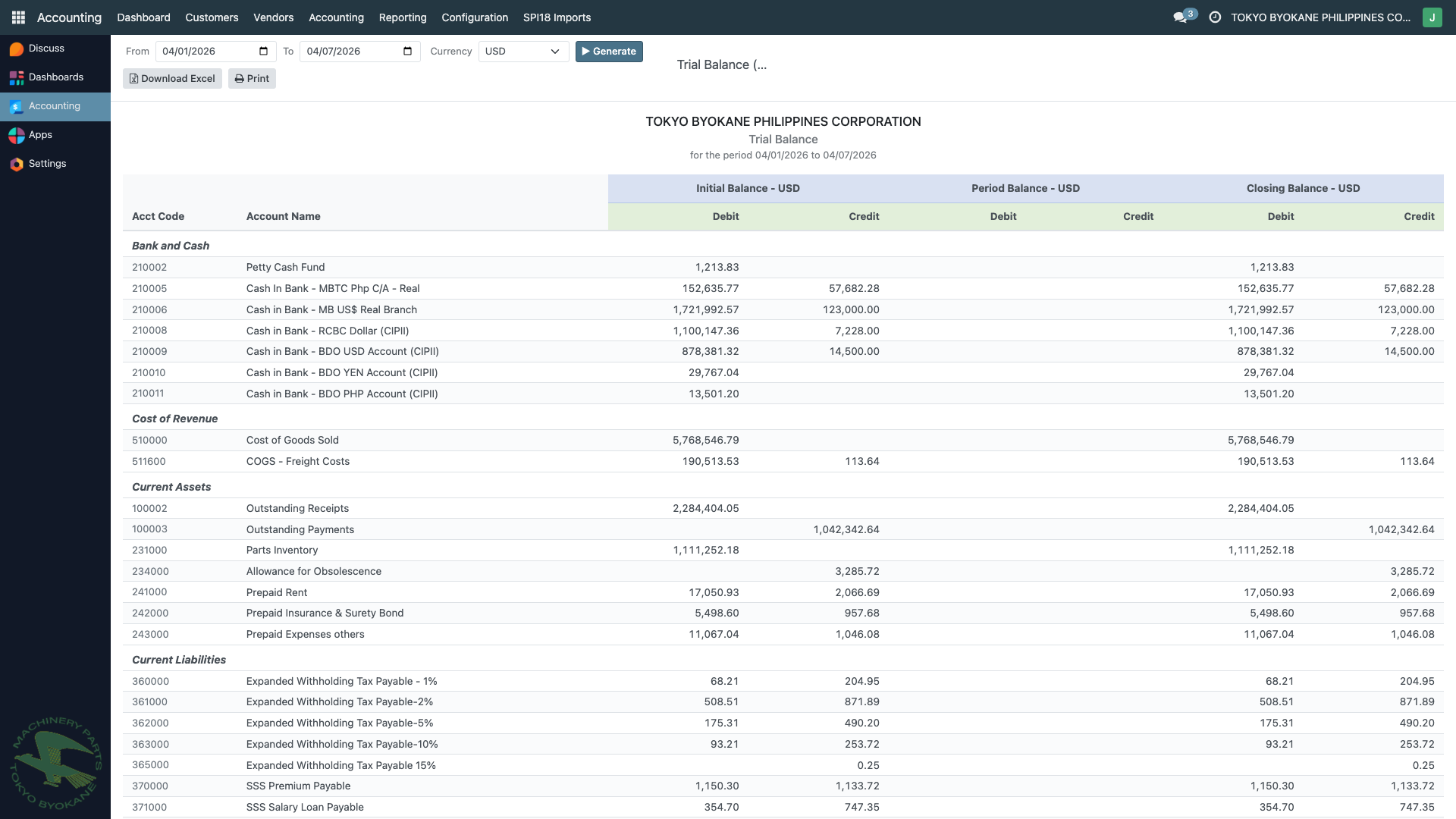
Currency Options: Supports currency selection between USD and PHP, with automatic conversion using BSP exchange rates.
Income Statement
The Income Statement provides a detailed view of the company's profitability for a given period, following the standard income statement format required for BIR compliance.
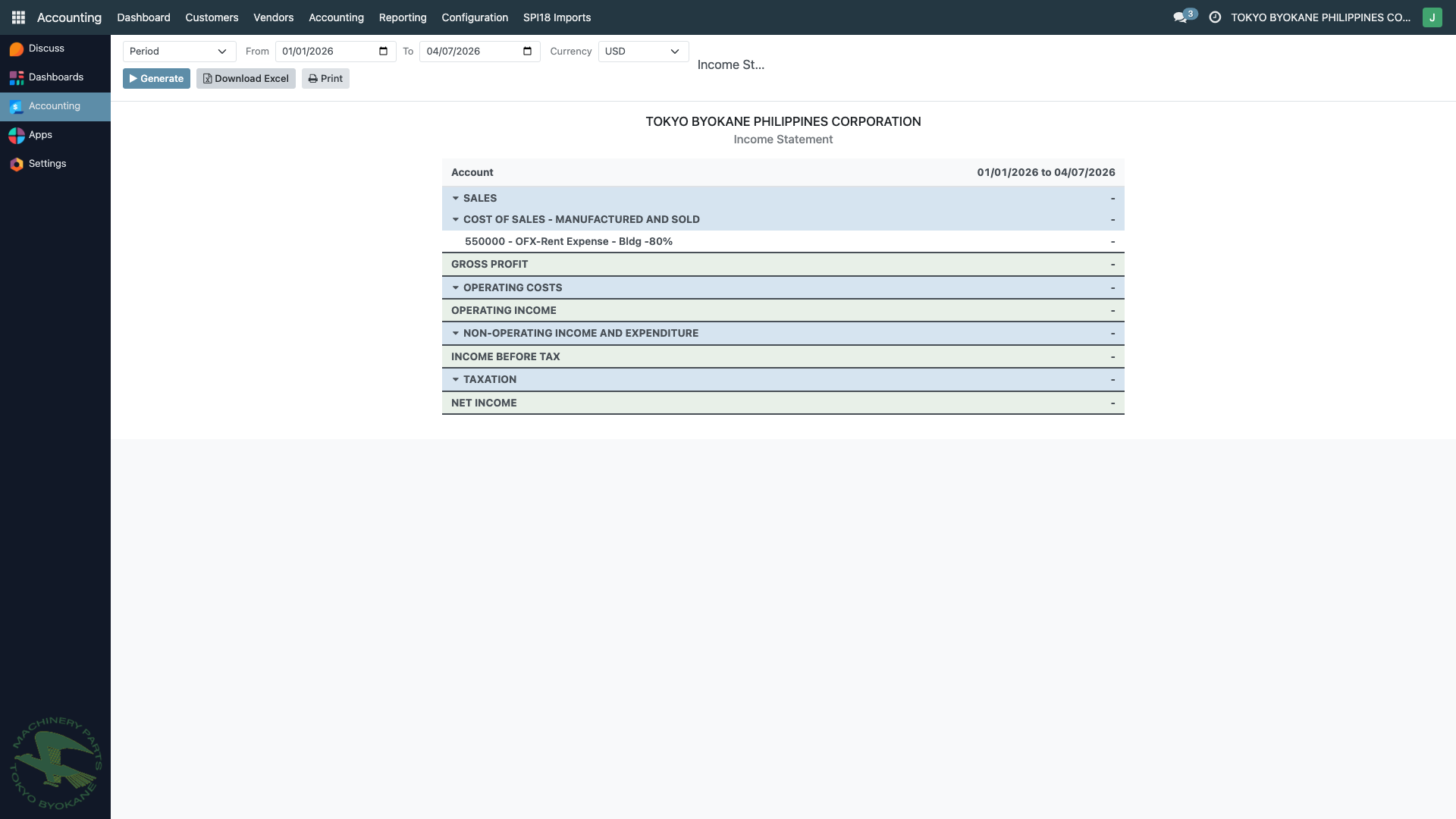
Difference from P&L: While similar to the Profit & Loss report, the Income Statement follows a more traditional format suited for formal financial reporting and BIR submission.
Tips for Financial Statements
:::info Comparative Reports For year-over-year or month-over-month analysis, use the Comparative P&L and Comparative Balance Sheet reports found under ARE18 Accounting Reports (available in both USD and PHP versions). :::
:::tip Excel Export All financial statements can be exported to Excel (XLSX) for:
- BIR submission requirements
- External auditor review
- Further analysis and pivot tables
- Integration with other reporting tools :::