Reports Overview
ARE18 provides a comprehensive set of financial and regulatory reports required for day-to-day operations and BIR compliance. All reports are accessible from the Reporting menu in the top navigation bar.
Navigation
Accounting > Reporting
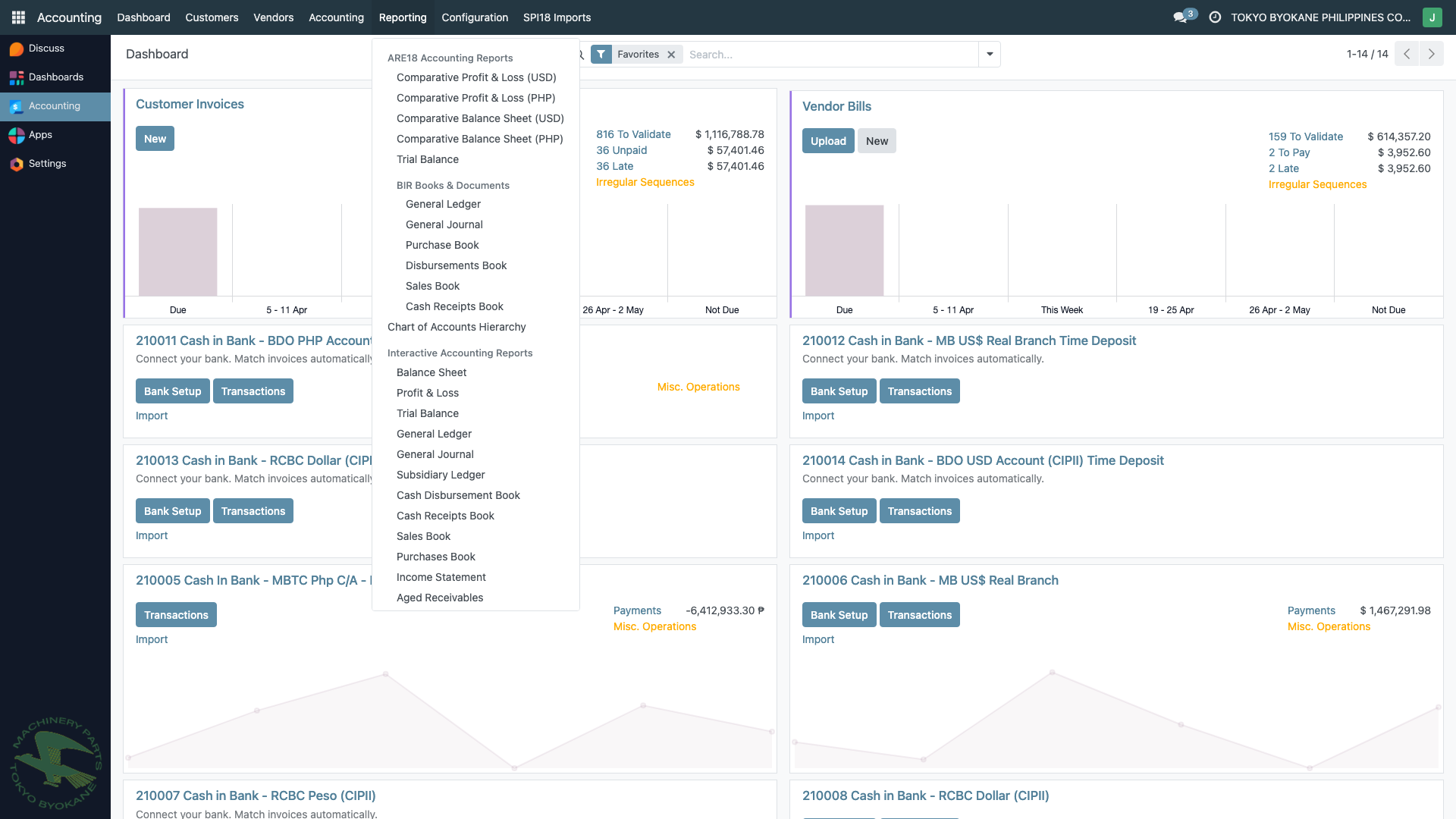
The Reporting menu is organized into four groups:
- ARE18 Accounting Reports - Comparative statements in USD and PHP
- BIR Books & Documents - BIR-compliant books of accounts
- Chart of Accounts Hierarchy - Hierarchical view of accounts
- Interactive Accounting Reports - JavaScript-based reports with drill-down and Excel export
Report Categories
Financial Statements
Core financial statements showing the company's financial position and performance.
BIR Books of Accounts
Official books of accounts required under BIR Revenue Regulations No. 11-2014 for Computerized Accounting Systems.
- General Ledger
- General Journal
- Subsidiary Ledger
- Sales Book
- Purchase Book
- Cash Disbursements Book
- Cash Receipts Book
Aging Reports
Aging analysis for receivables and payables.
BIR Tax Reports
Tax compliance reports for VAT and withholding tax filings.
- BIR SAWT (Form 1702Q)
- BIR VAT - Locals
- BIR VAT - Importation
- BIR VAT - Output
- BIR SLSP
- BIR Expanded (MAP/QAP)
Other Reports
- Statement of Account - Customer statements
- Importation Summary - Import transactions
- Chart of Accounts Hierarchy - Account structure
How to Generate Reports
All reports follow this standard workflow:
- Navigate - Click Reporting in the top menu, then choose the report
- Set Parameters - Select date range (From/To), currency, and any filters
- Click Generate - The system processes the data and renders the report
- View - Scroll through the report on-screen; click entries to drill down to source transactions
- Export - Click Download Excel to export as XLSX
- Print - Click Print to print directly from the browser
Currency Options
Since TBPC is PEZA-registered with USD as the functional currency:
- Most reports default to USD
- Reports with currency selection allow switching to PHP
- Exchange rates are sourced from BSP (Bangko Sentral ng Pilipinas)
- Excel exports include the correct currency symbol in headers
:::tip BIR Compliance All BIR Books of Accounts and Tax Reports are compliant with Revenue Regulations No. 11-2014 for Computerized Accounting Systems (CAS). Reports can be exported to Excel for BIR submission. :::